erselaktaş Contact
01

Selected work01 / 092019 — now

Noctua

Infrastructure monitoring platform · DCIM, BMS, EMS

I named it, drew its logo, designed its five hundred screens and guided the team that built them.

Client
Birtech Technology
Years
2019 — now · live since 2024
Role
Product designer, then outsourced design & front-end consultant
Scope
Naming & identity, product & design system, Angular rebuild, launch, mobile
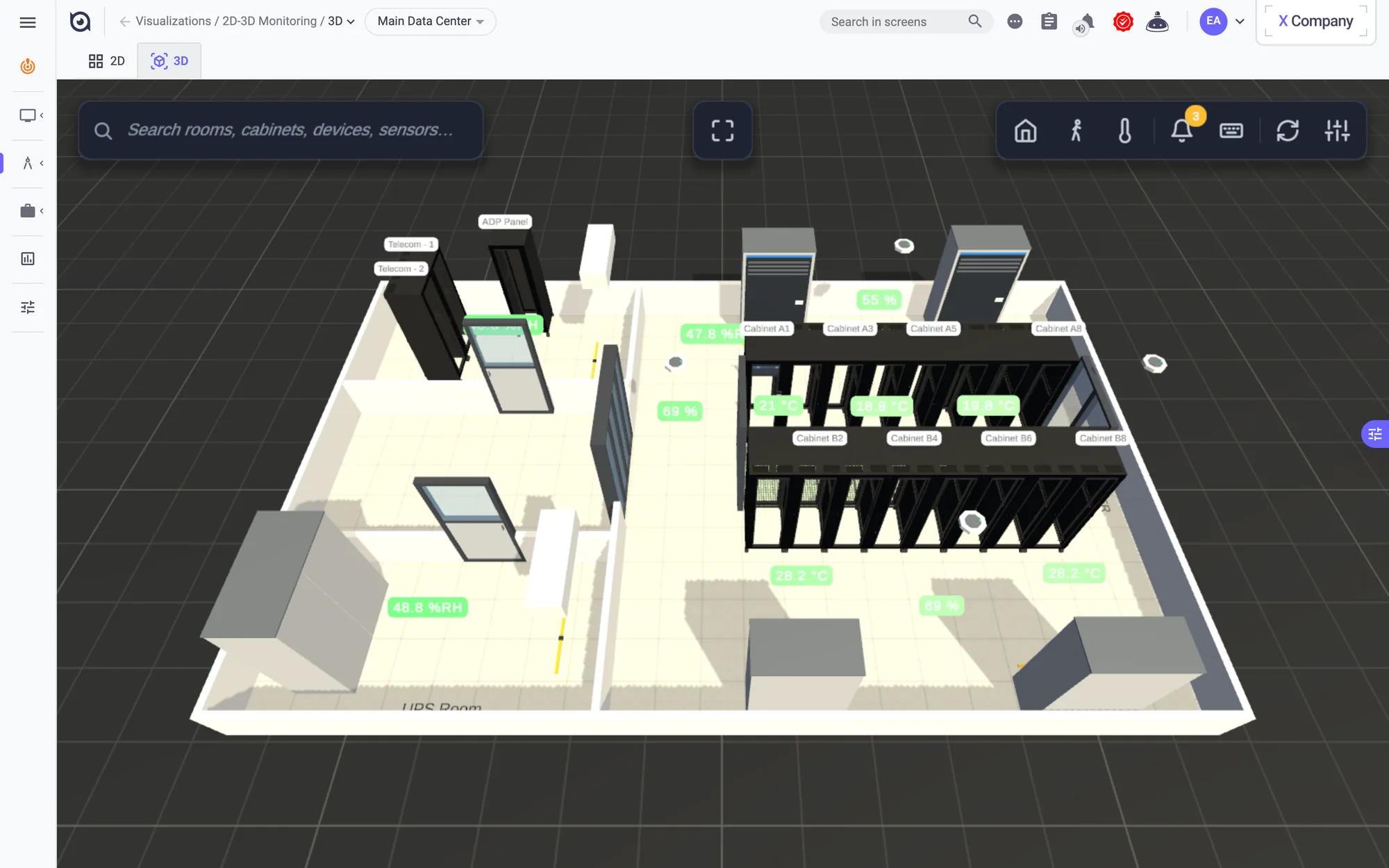
3D digital twin of the data hall with cabinets and cooling units.

Data centres, hospitals and cold-chain sites run on sensors, alarms and energy meters. Noctua is the platform that watches all of it, for more than a thousand companies.

It started in 2019 as the next generation of Sensaway, under the working title “Sensaway 3”, while Sensaway itself kept running. Instead of stretching the old name, it was rebuilt as a new brand: I named it Noctua, drew its logo and set its identity, and it went live in 2024.

Since 2023 I have worked on it as an outsourced design and front-end consultant: designing the product and its design system, steering a ground-up Angular rebuild and, when needed, building, managing the team and training staff myself.

Name & logo

The working title was Sensaway 3. The new name, Noctua, is Latin for the little owl. The December 2024 explorations tried an owl shield, chevrons and an open ring; the ring became the eye of the final logo. In 2025 the logo got its own chapter in Birtech’s brand guideline: primary logo, orientation rules and a palette of indigo, midnight and seafoam.
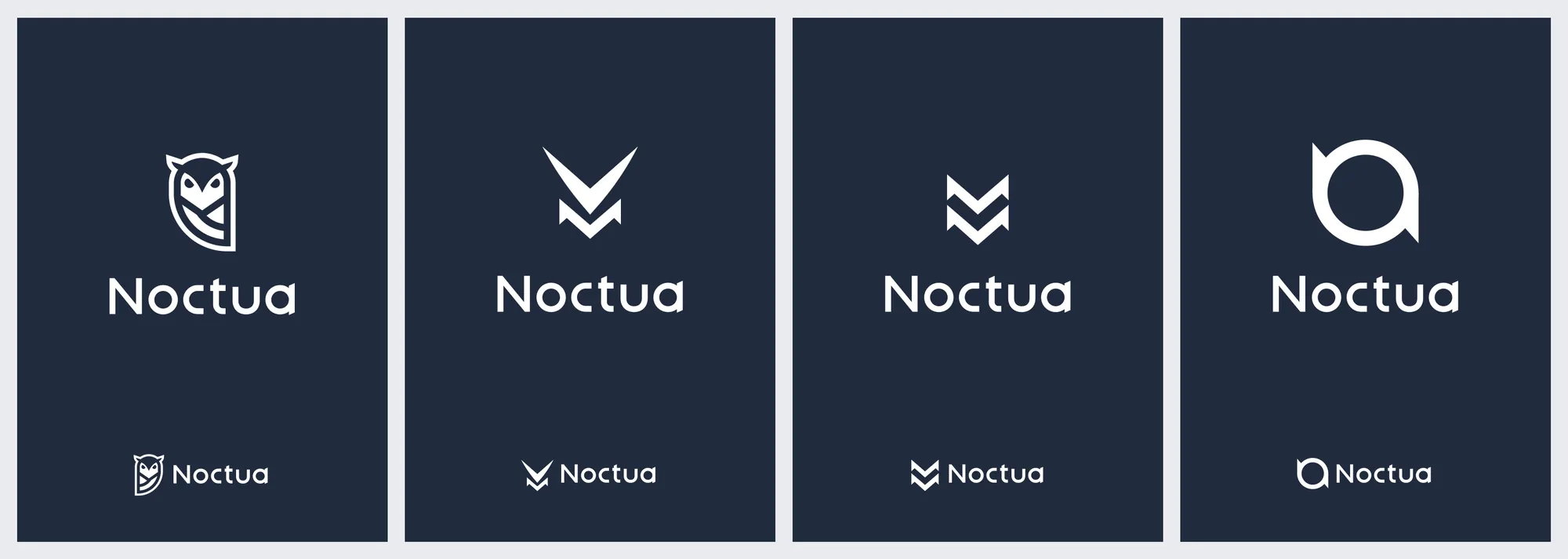
Logo explorations: owl shield, chevrons and the open ring that became the final eye.
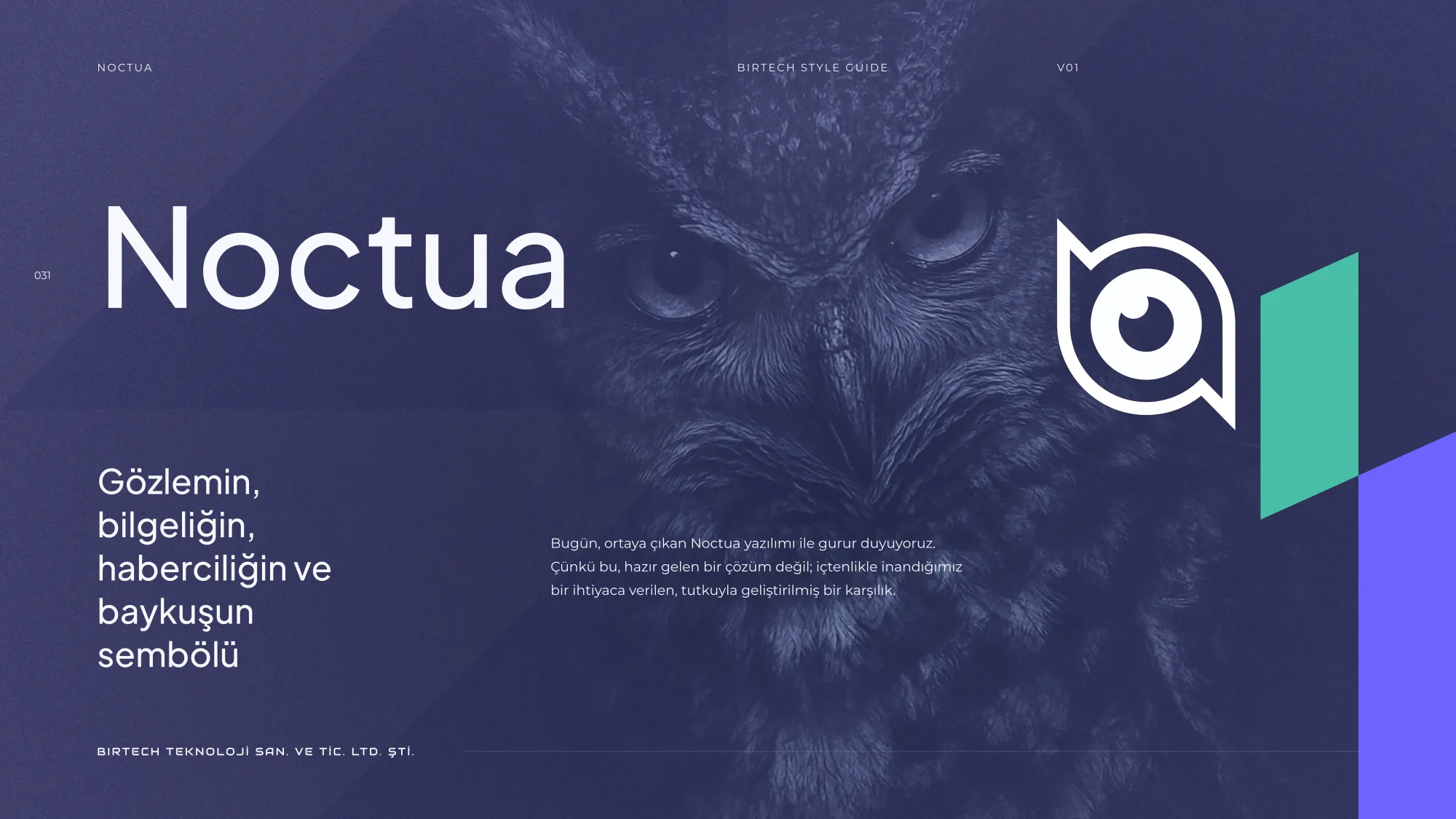
Noctua’s chapter in Birtech’s 2025 brand guideline opens on the owl: “the symbol of observation, wisdom and the messenger.”
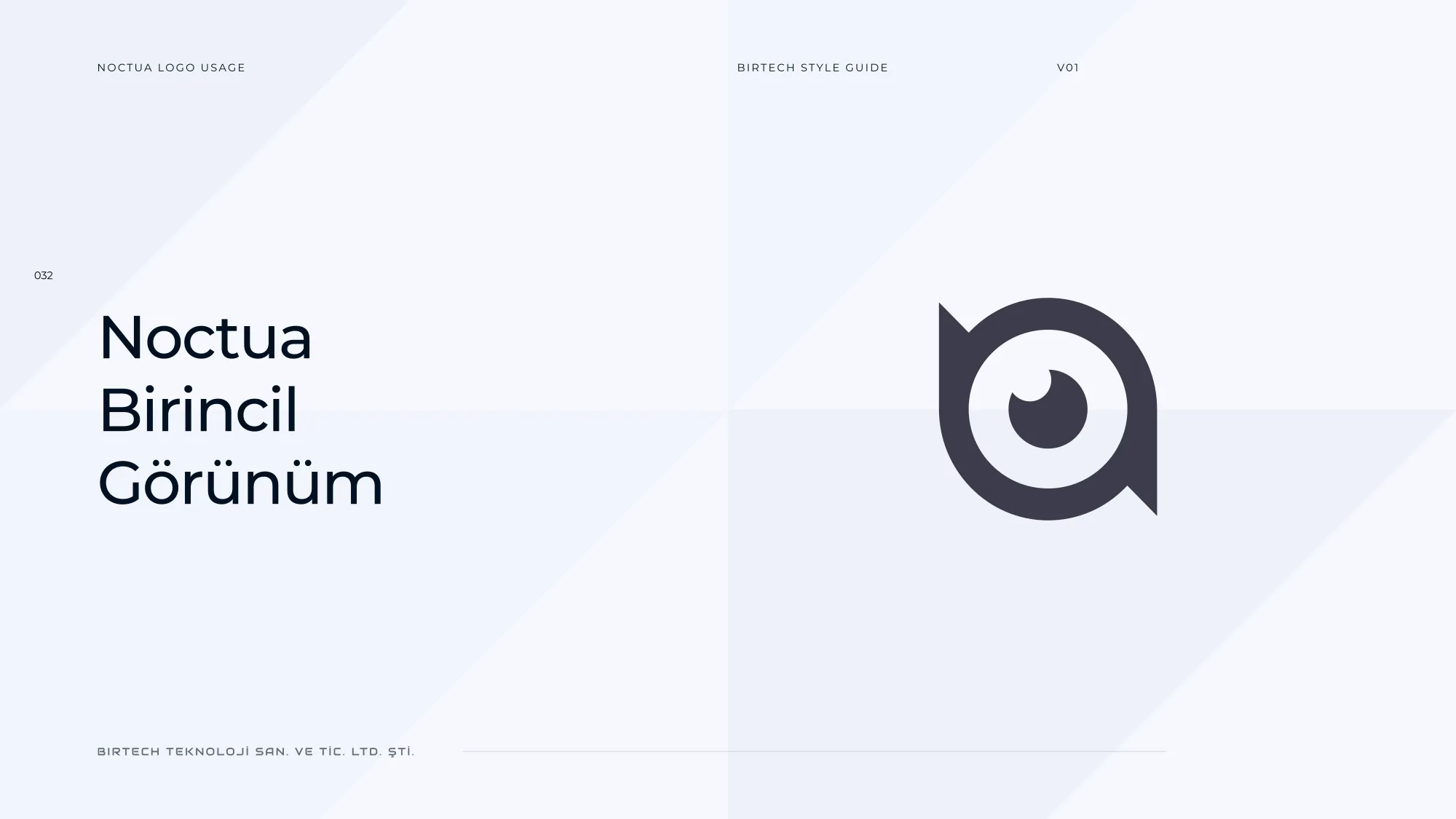
Primary logo: the open ring became the owl’s eye, with the beak-like notch keeping it readable at small sizes.
Noctua’s chapter in Birtech’s 2025 brand guideline opens on the owl: “the symbol of observation, wisdom and the messenger.” · Primary logo: the open ring became the owl’s eye, with the beak-like notch keeping it readable at small sizes.
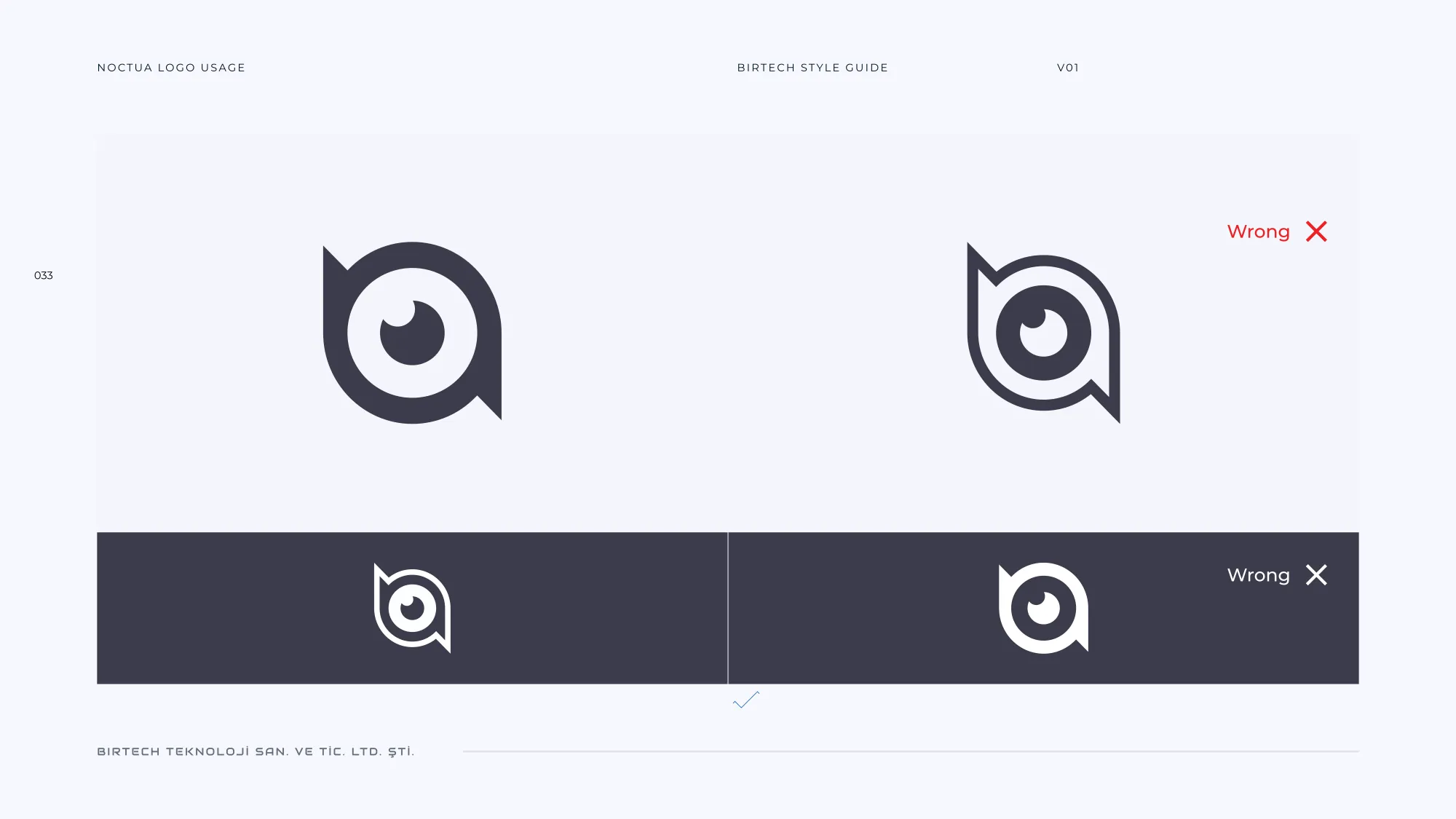
Usage rules: the logo is set on light and on midnight; the mirrored orientation is marked wrong.
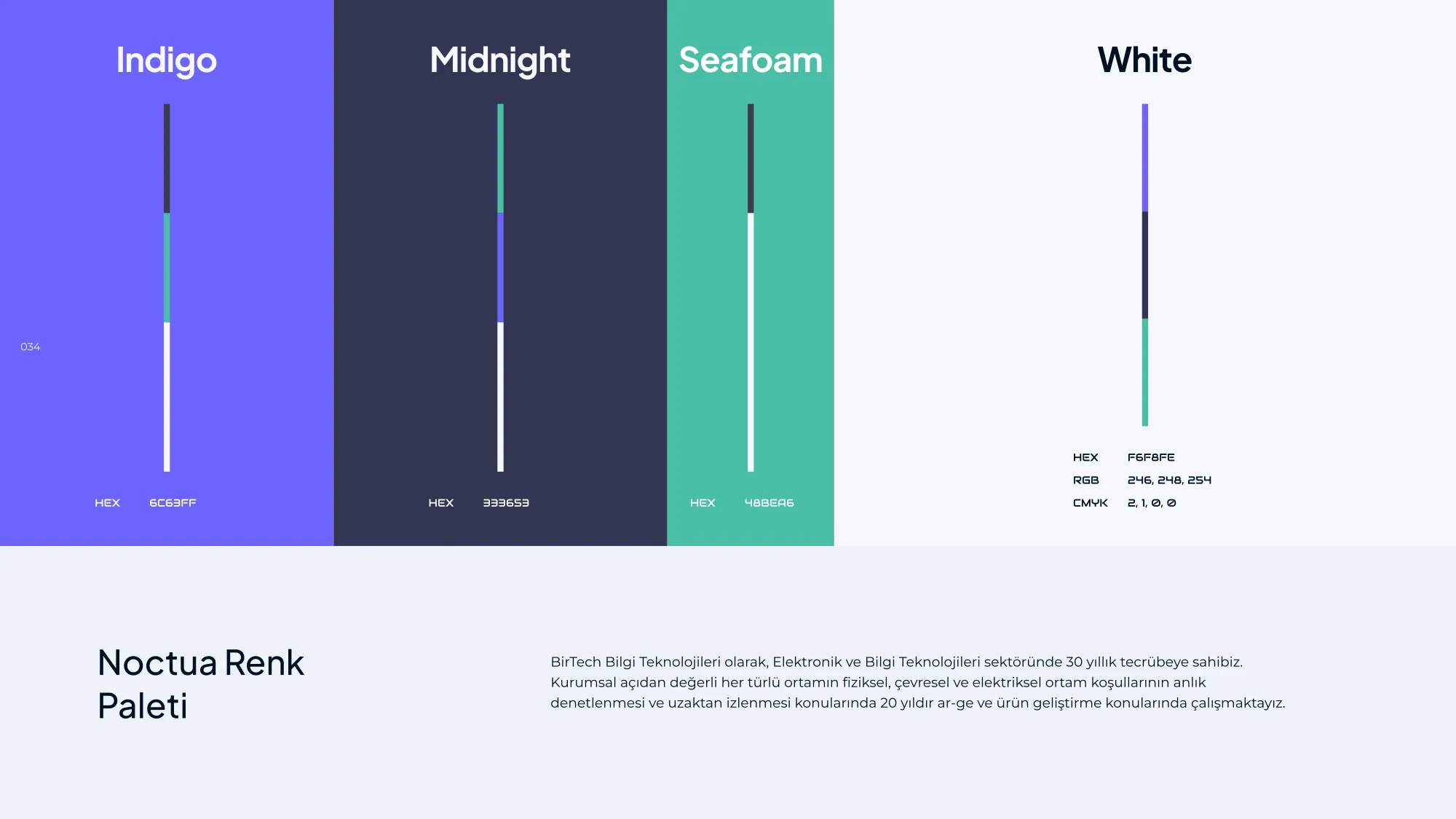
Noctua palette: Indigo #6C63FF, Midnight #333653, Seafoam #4BBEA6 and White.
Usage rules: the logo is set on light and on midnight; the mirrored orientation is marked wrong. · Noctua palette: Indigo #6C63FF, Midnight #333653, Seafoam #4BBEA6 and White.

Monitoring

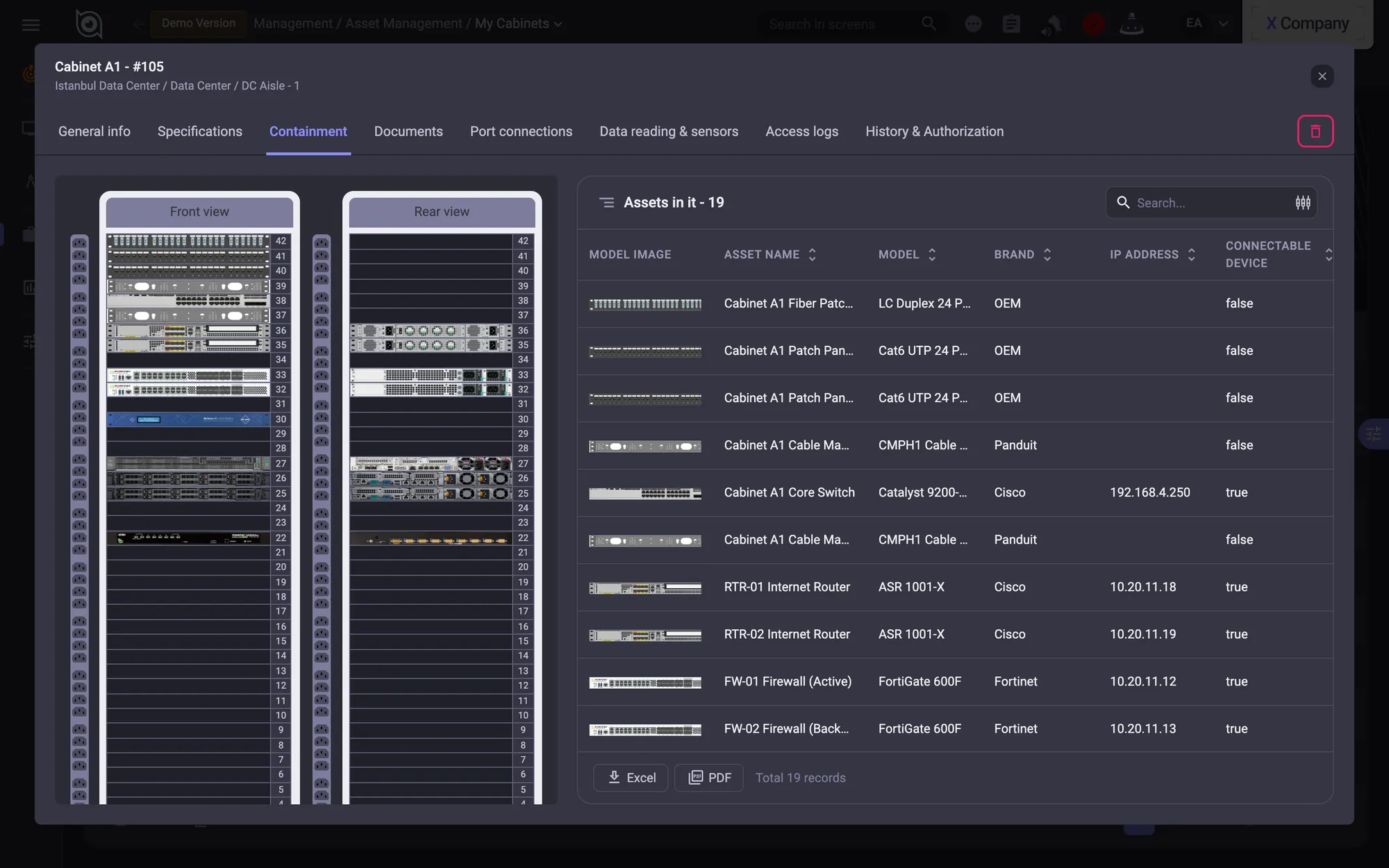
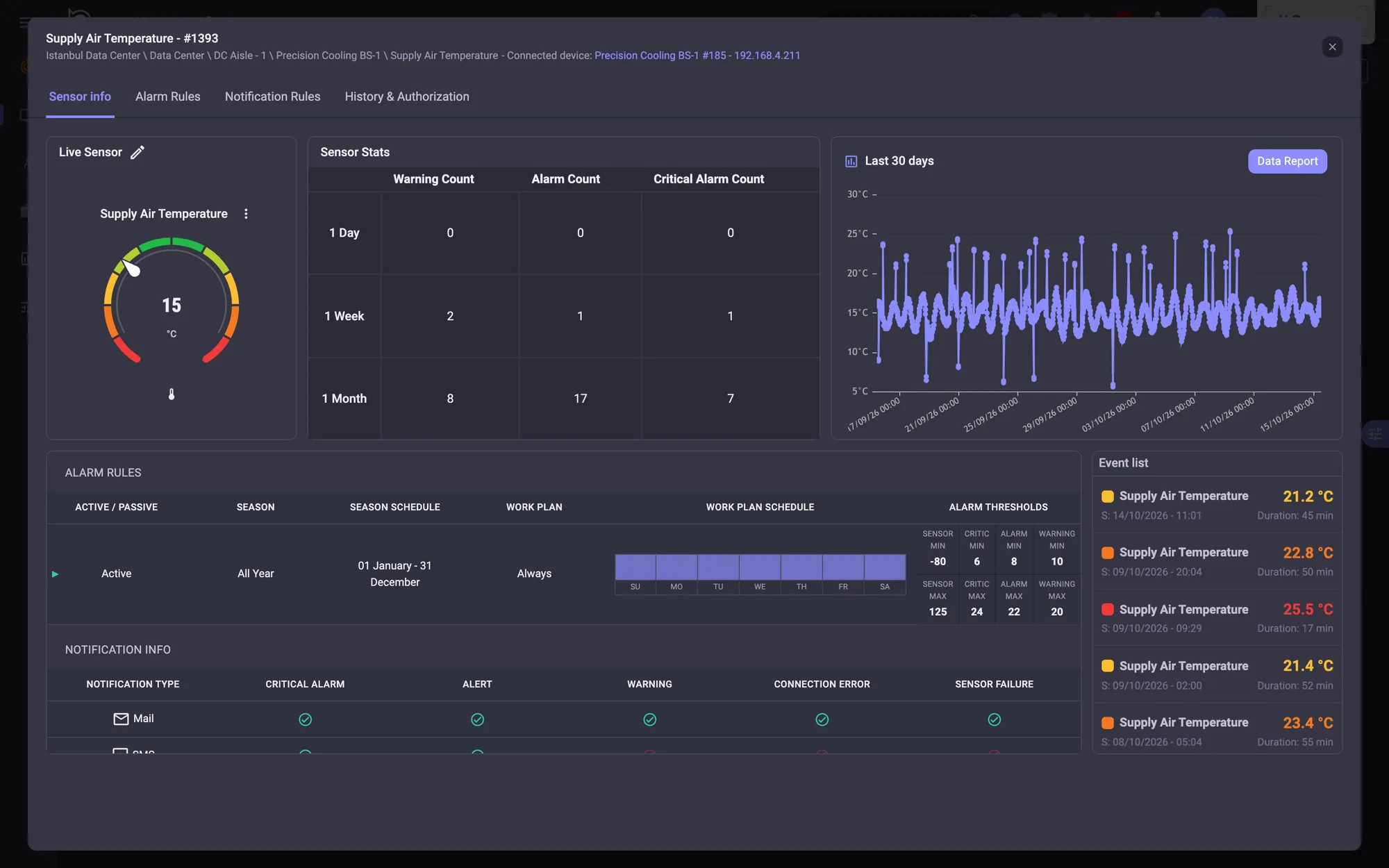
Every sensor as a gauge. Open one and you get its month of history, its alarm counts and the thresholds behind them; open a cabinet and you get front and rear elevations of everything installed in it.
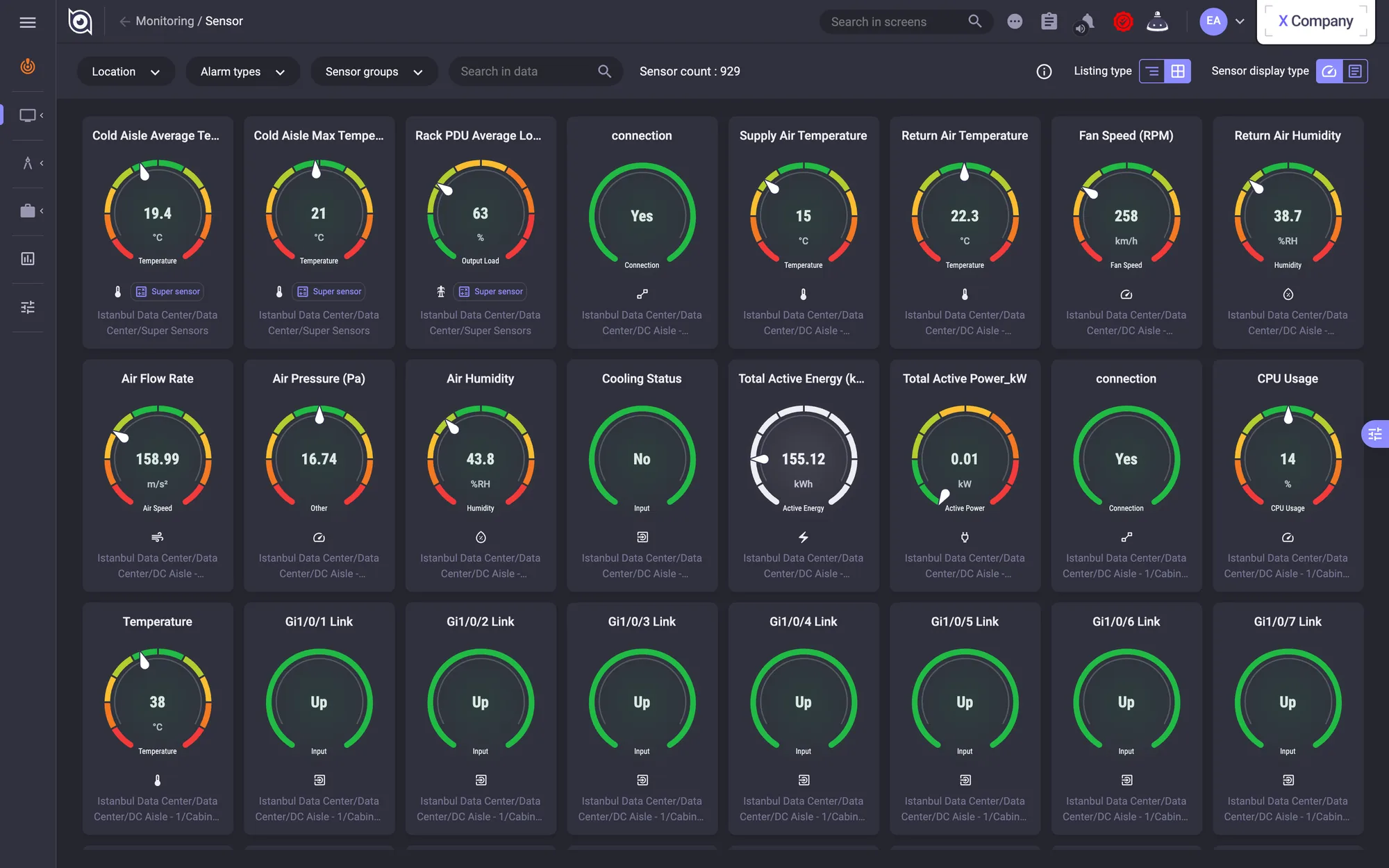
Sensor monitoring: every sensor as a gauge, coloured by its thresholds.
Sensor detail: 30 days of history, alarm counts, rules and the event list.
Sensor monitoring: every sensor as a gauge, coloured by its thresholds. · Sensor detail: 30 days of history, alarm counts, rules and the event list.
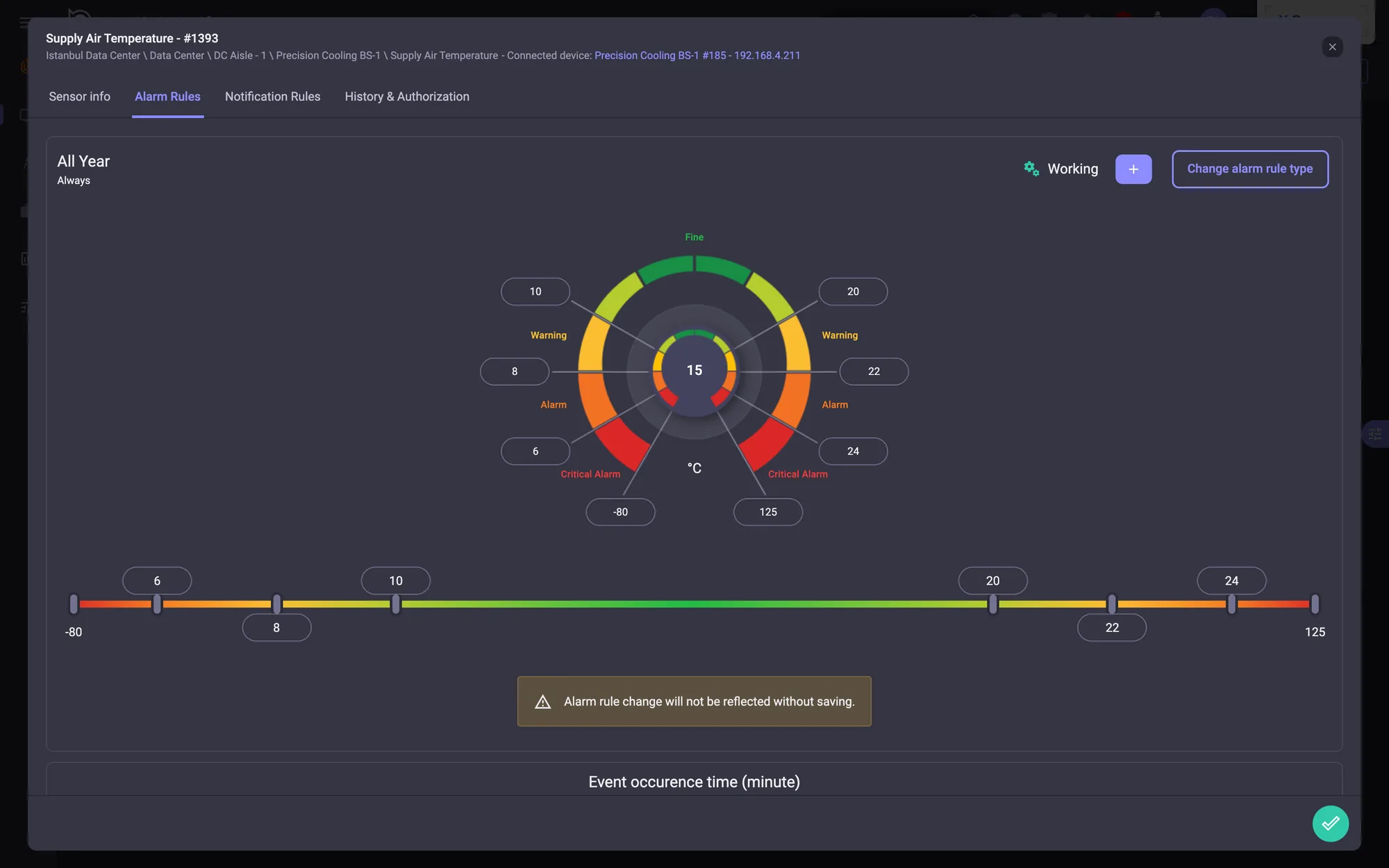
Alarm rules: thresholds set on a radial gauge and a linear slider.
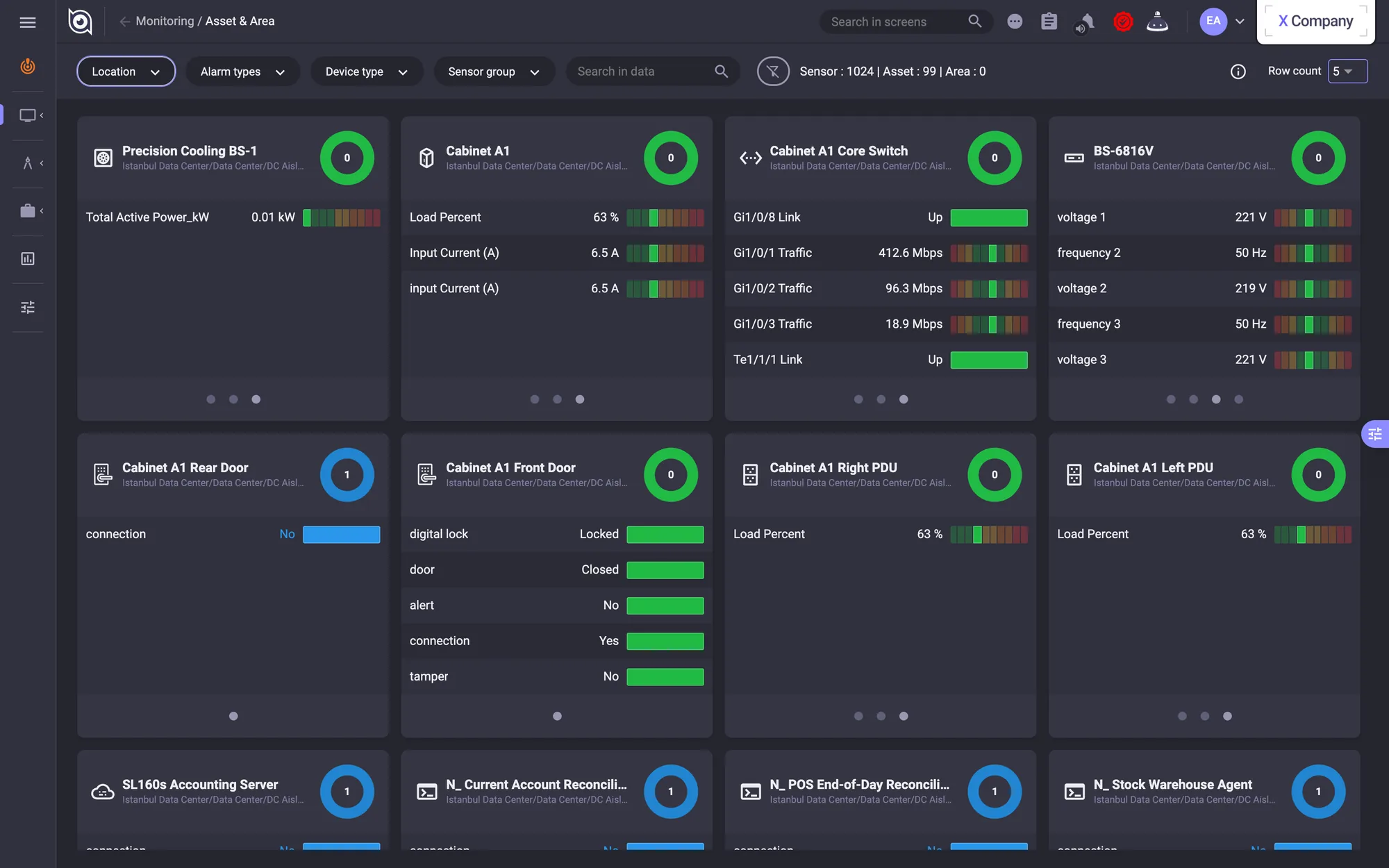
Asset & Area: one card per device, coloured by its worst sensor state.
Alarm rules: thresholds set on a radial gauge and a linear slider. · Asset & Area: one card per device, coloured by its worst sensor state.
Cabinet detail: front and rear elevations, and the 19 assets installed in it.
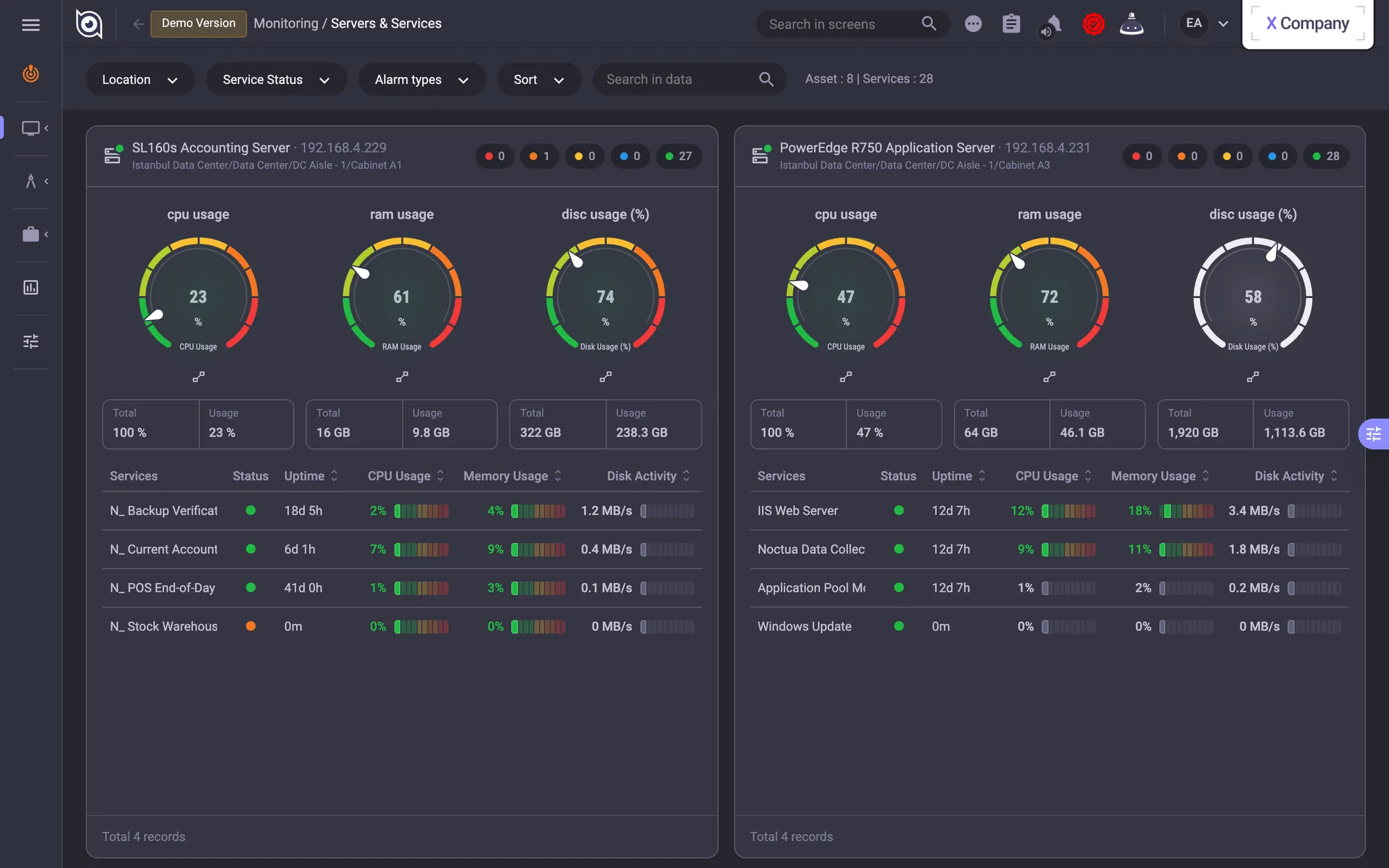
Servers & Services: CPU, RAM and disk gauges with service status per server.
Cabinet detail: front and rear elevations, and the 19 assets installed in it. · Servers & Services: CPU, RAM and disk gauges with service status per server.
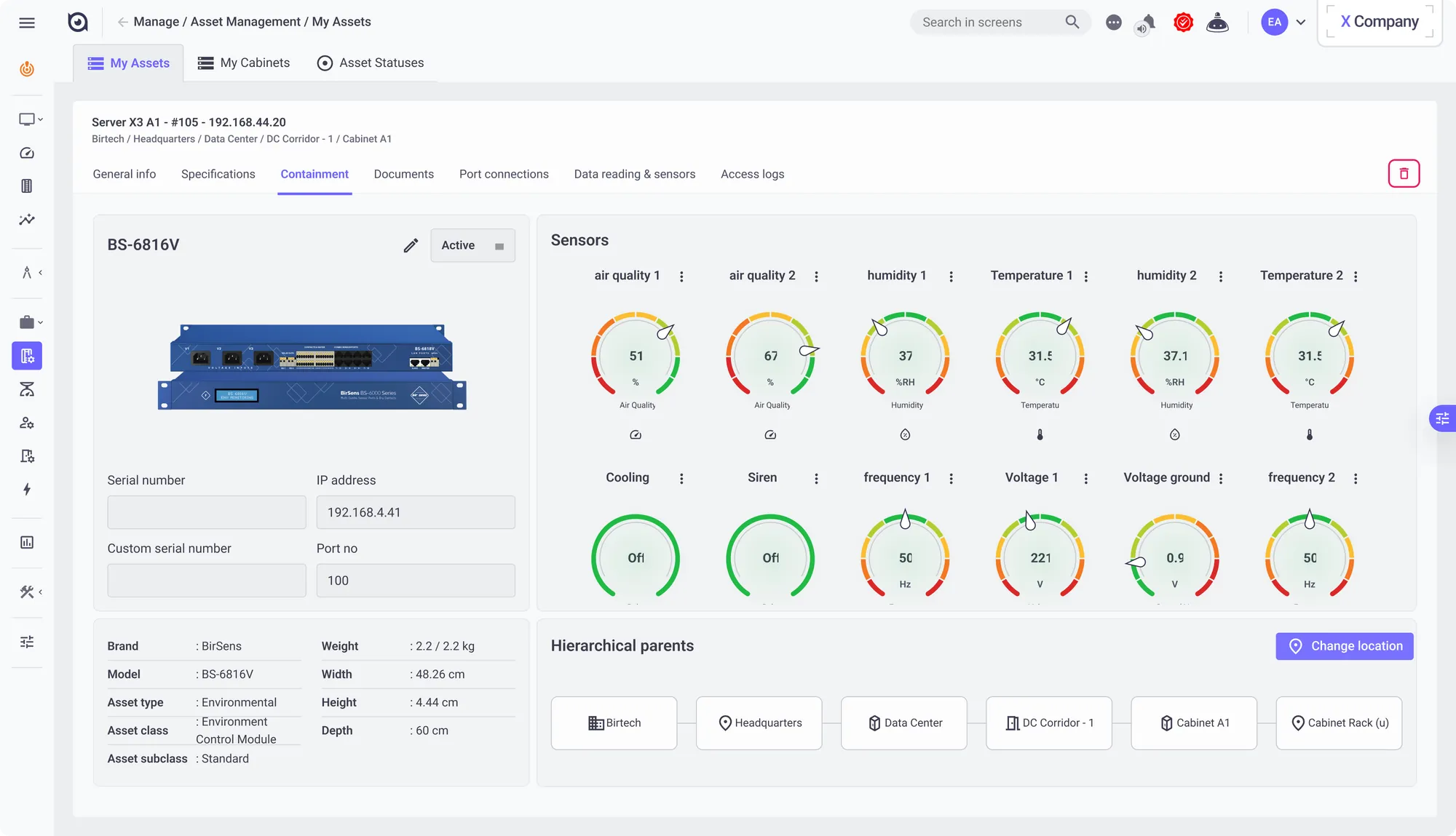
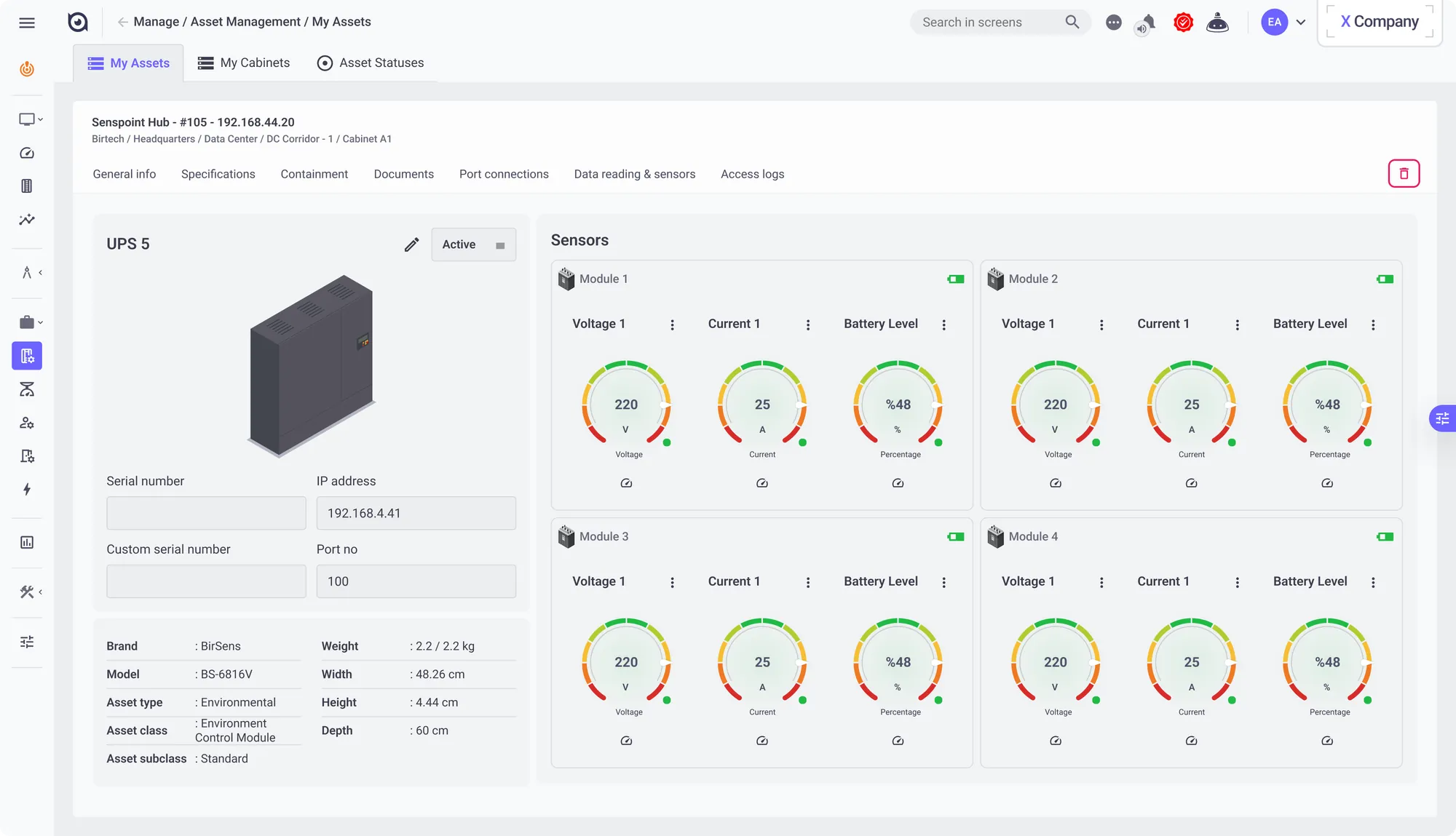
Asset detail for a rack device: identity, network and place in the hierarchy, with every sensor as a threshold-coloured gauge
The same template for a UPS: voltage, current and battery gauges for each module
Asset detail for a rack device: identity, network and place in the hierarchy, with every sensor as a threshold-coloured gauge · The same template for a UPS: voltage, current and battery gauges for each module

Dashboards

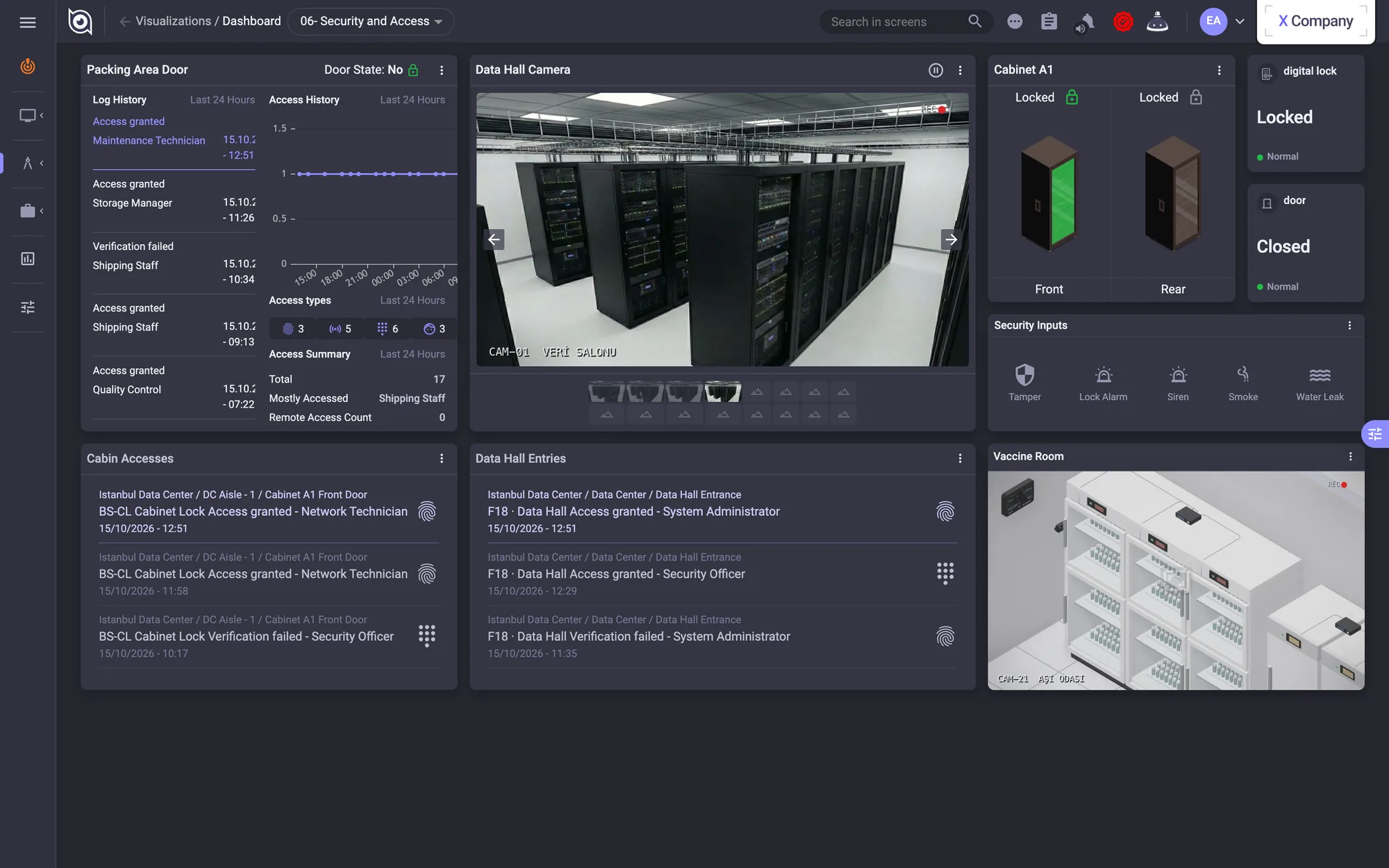
Built from forty-three widget types on a 10×5 grid: a NOC view of every site, a cabinet-and-power board with UPS and battery, a security board with cameras and door states.
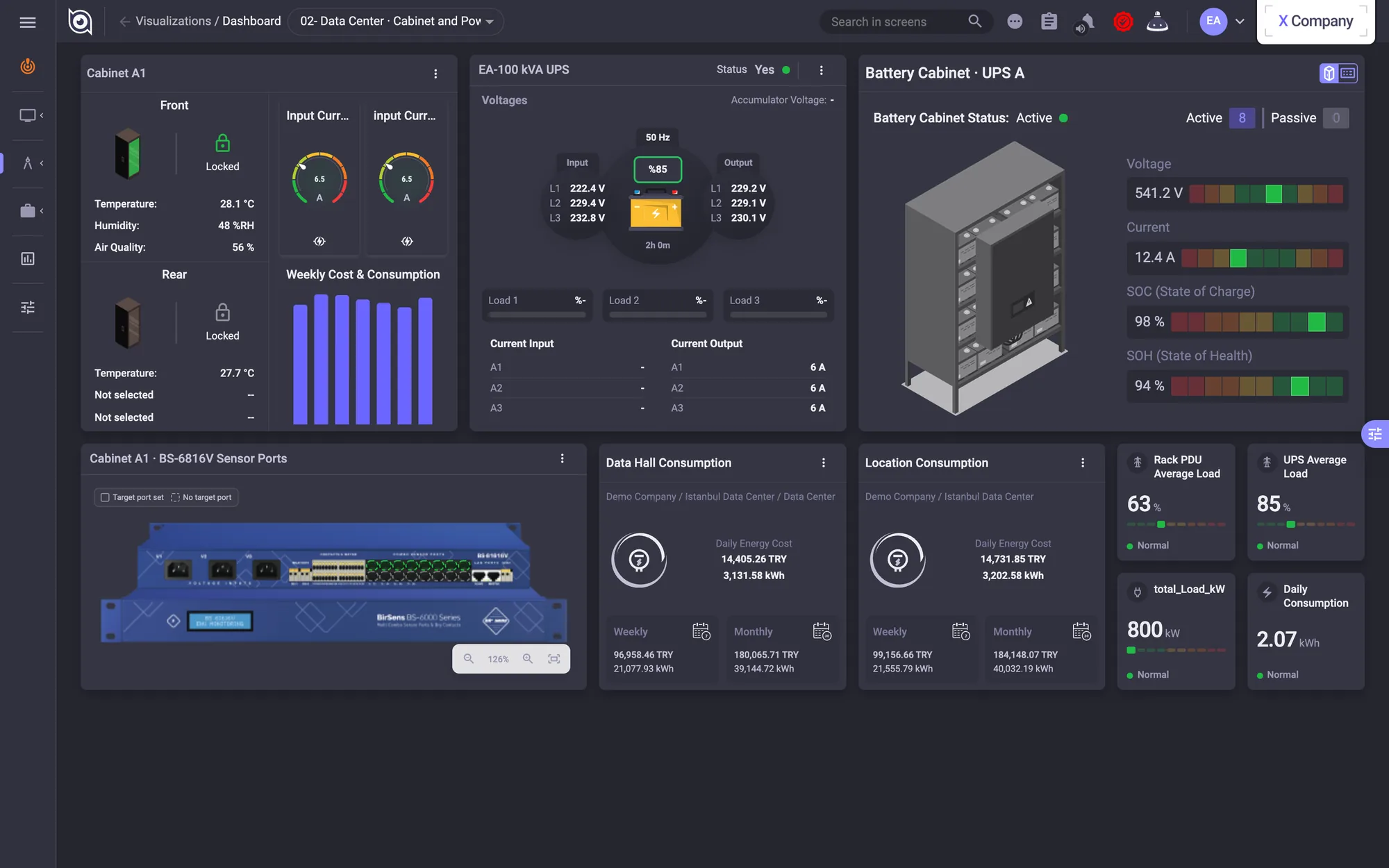
Cabinet & power: cabinet, UPS, battery cabinet and energy cost widgets.
Security & access: camera stills, cabinet door states and access logs.
Cabinet & power: cabinet, UPS, battery cabinet and energy cost widgets. · Security & access: camera stills, cabinet door states and access logs.
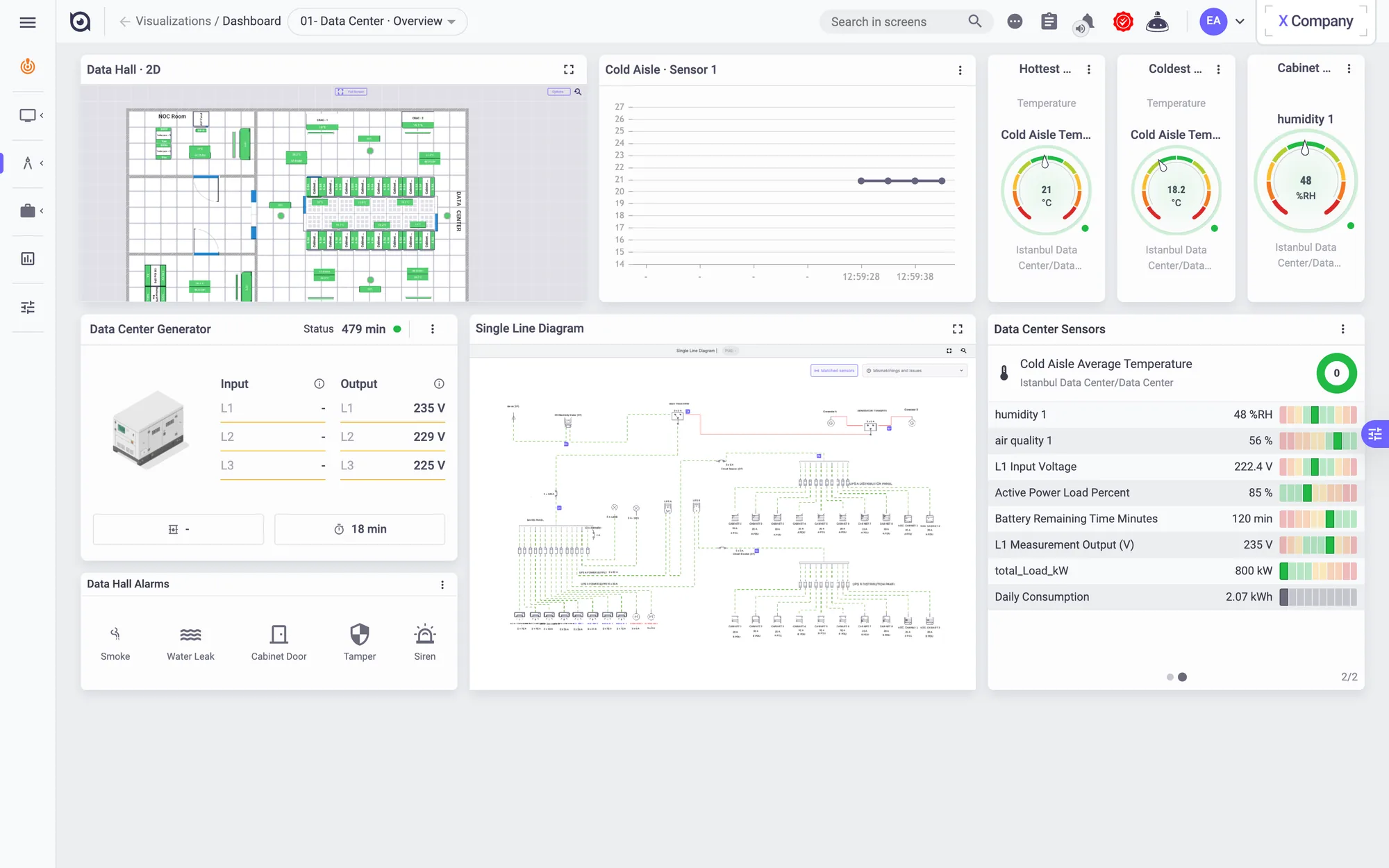
Data-centre overview in the light theme: 2D plan, generator, single-line diagram and sensor list.

2D, 3D & maps

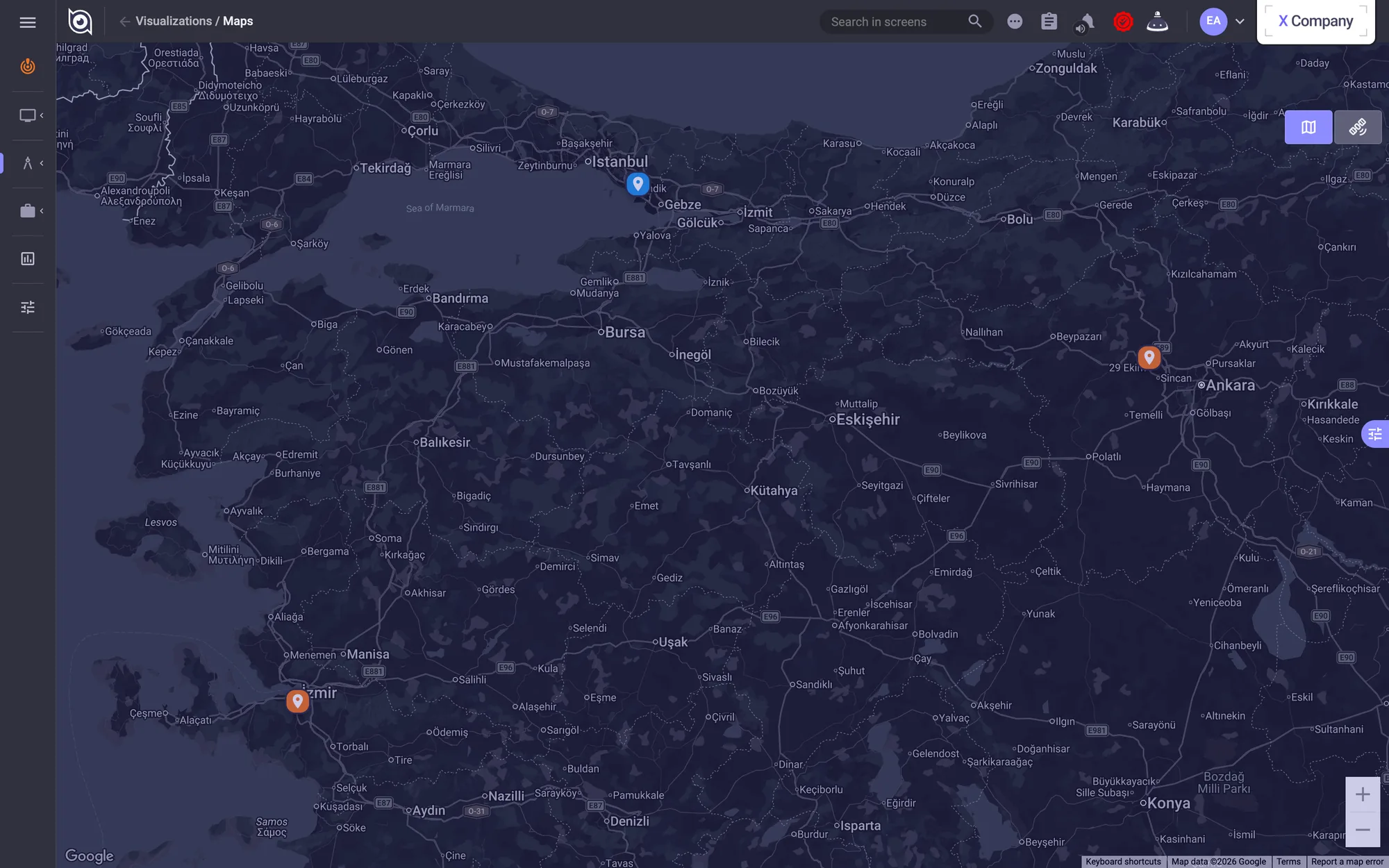
The same site can be seen as a 3D twin of the data hall, a 2D plan with per-rack readings, a map of every location or a single-line diagram of the power. A single device can be opened the same way, with a switch's ports marked on a photo of it and a list of where each cable goes.
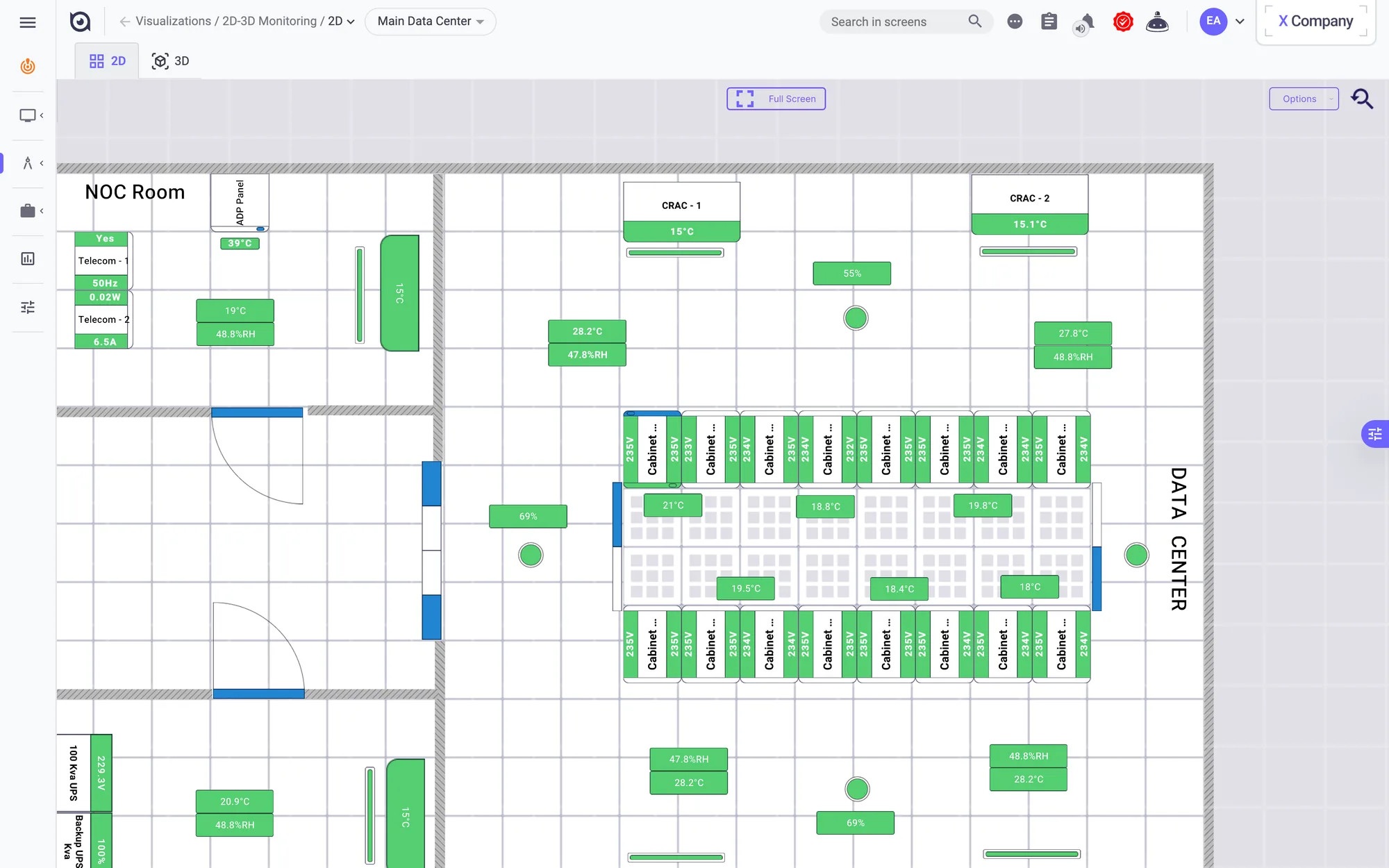
2D floor plan with per-rack readings.
Every site on one map, with its alarm state.
2D floor plan with per-rack readings. · Every site on one map, with its alarm state.
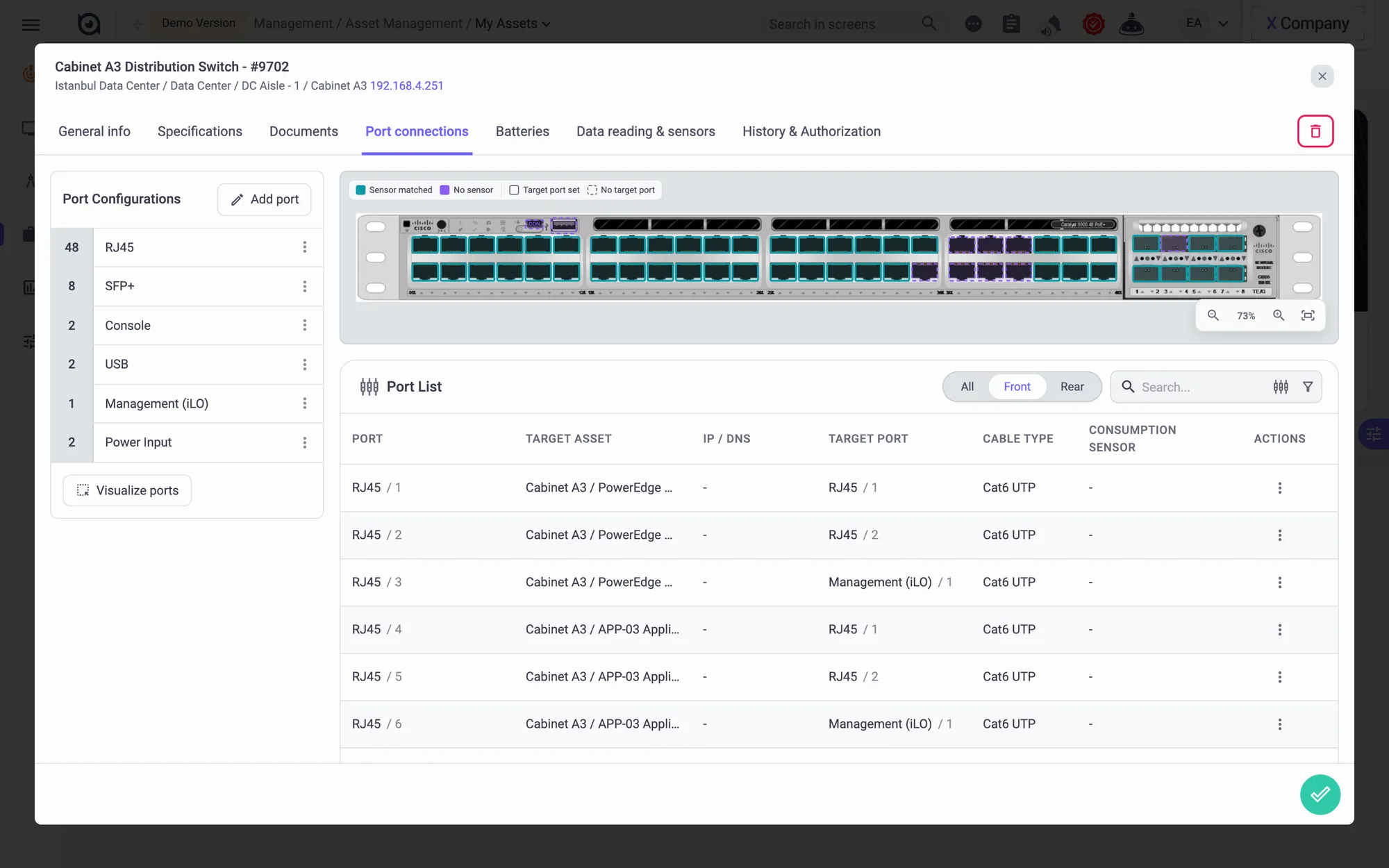
Port connections of a 48-port switch: its ports marked on a photo of the device, and where each cable goes.
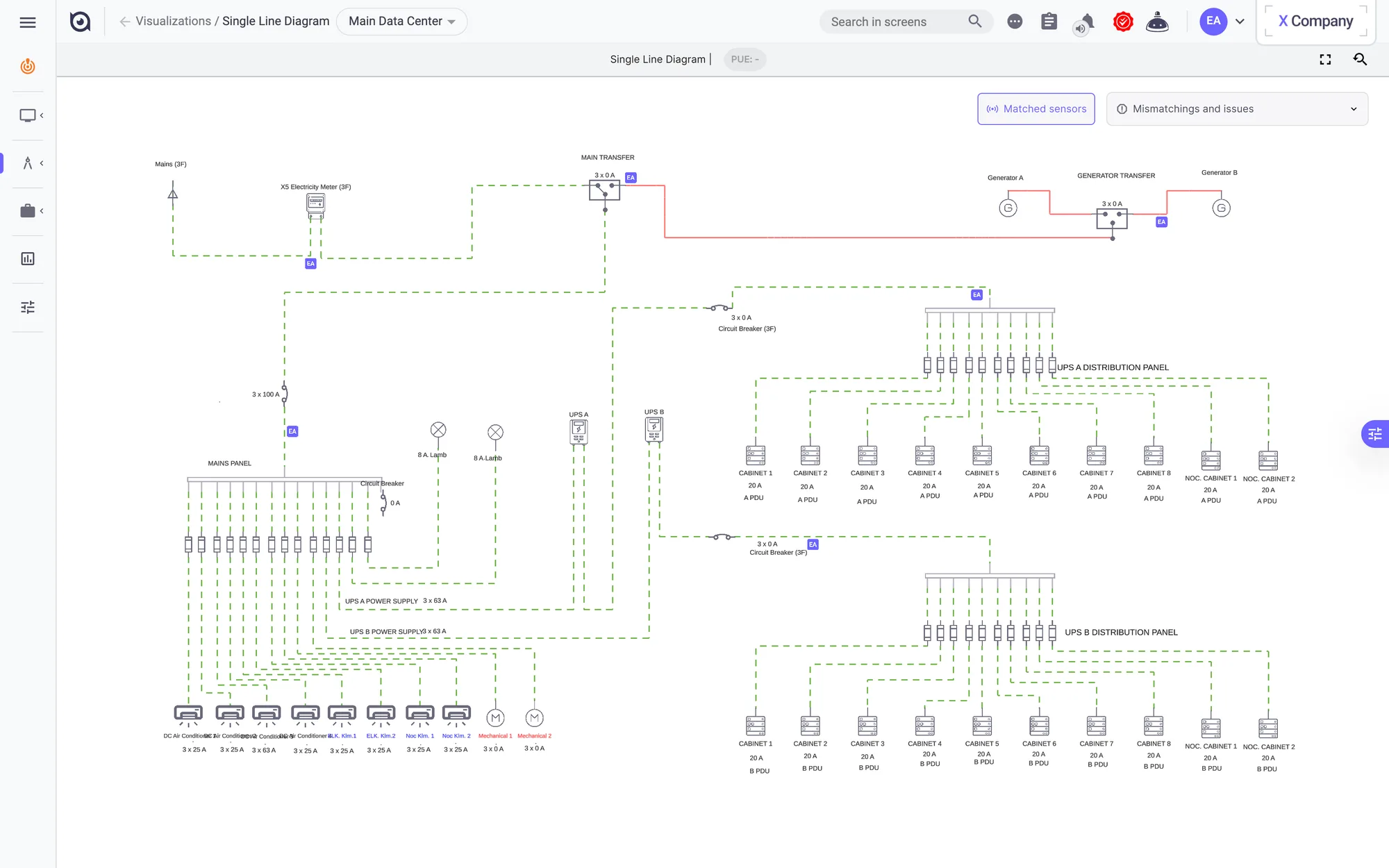
Single-line electrical diagram, fed by live sensor values.
Port connections of a 48-port switch: its ports marked on a photo of the device, and where each cable goes. · Single-line electrical diagram, fed by live sensor values.

Manage & analyse

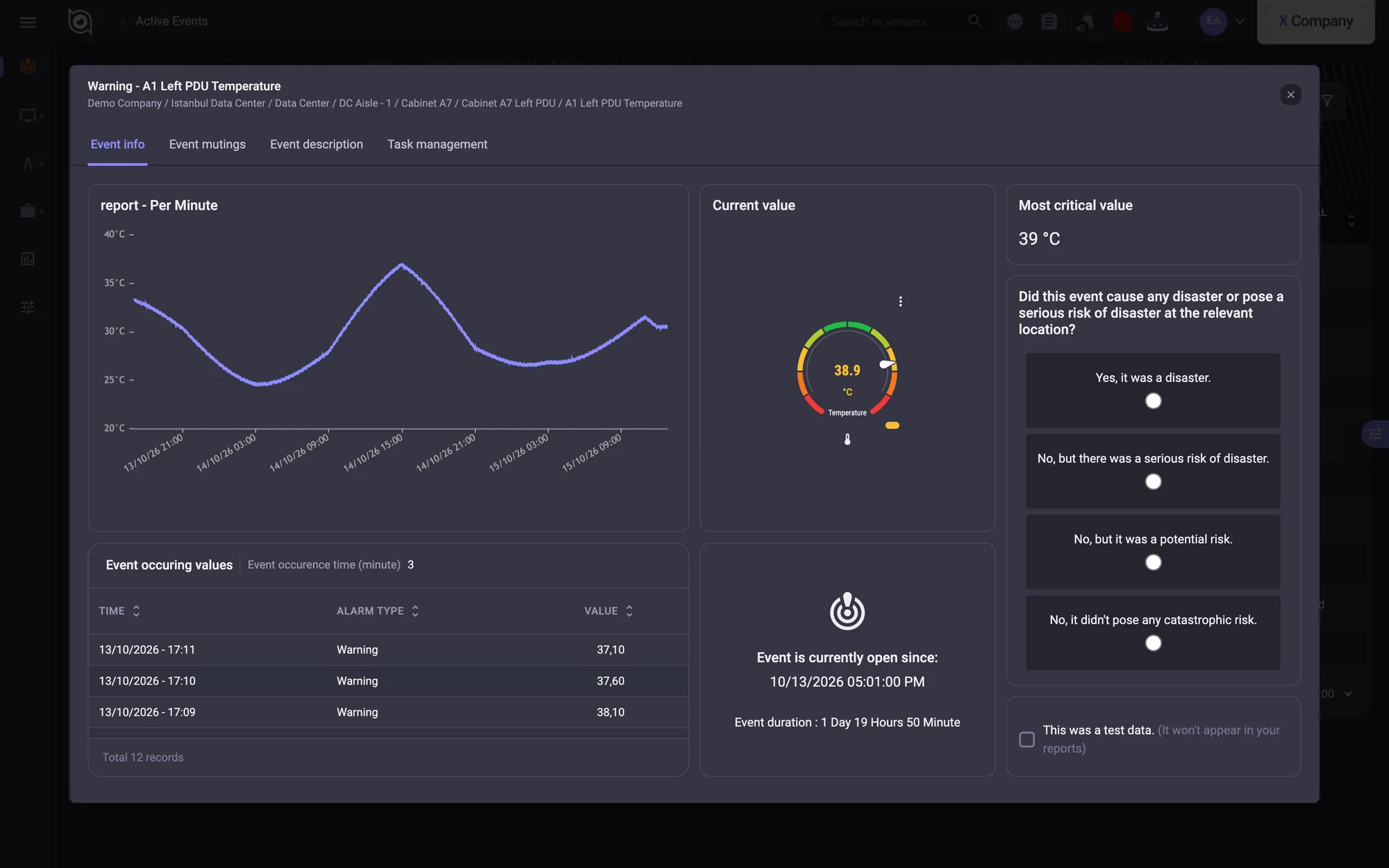
Data reports overlay any sensors over any period. Every alarm becomes an event with a per-minute chart and an impact assessment, and every event can become a task.
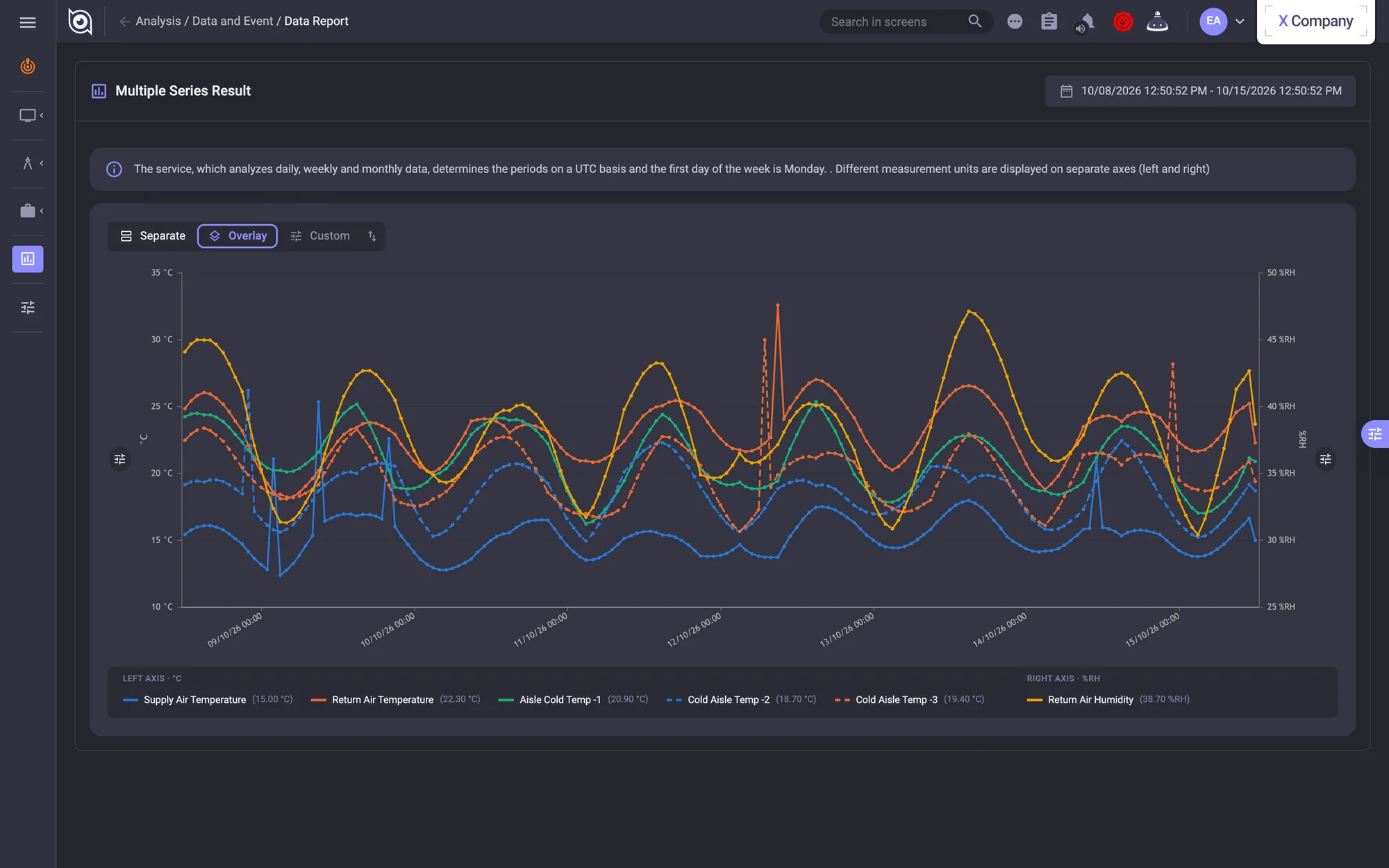
Data report: a week of temperature and humidity from several sensors on dual axes.
Event detail: a per-minute value chart, the live gauge and an impact assessment.
Data report: a week of temperature and humidity from several sensors on dual axes. · Event detail: a per-minute value chart, the live gauge and an impact assessment.
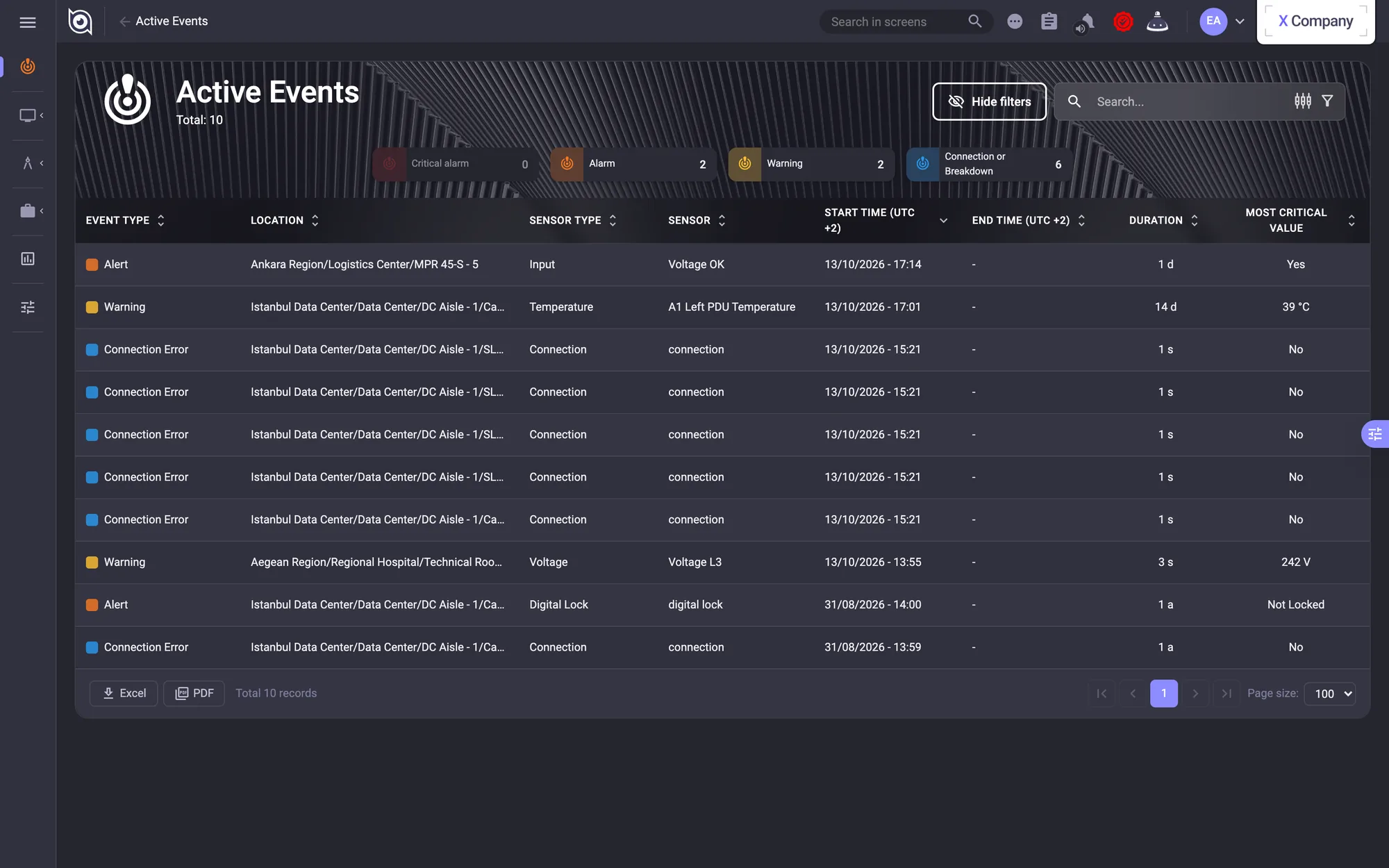
Active events: every alarm with its location, device, start time and duration.
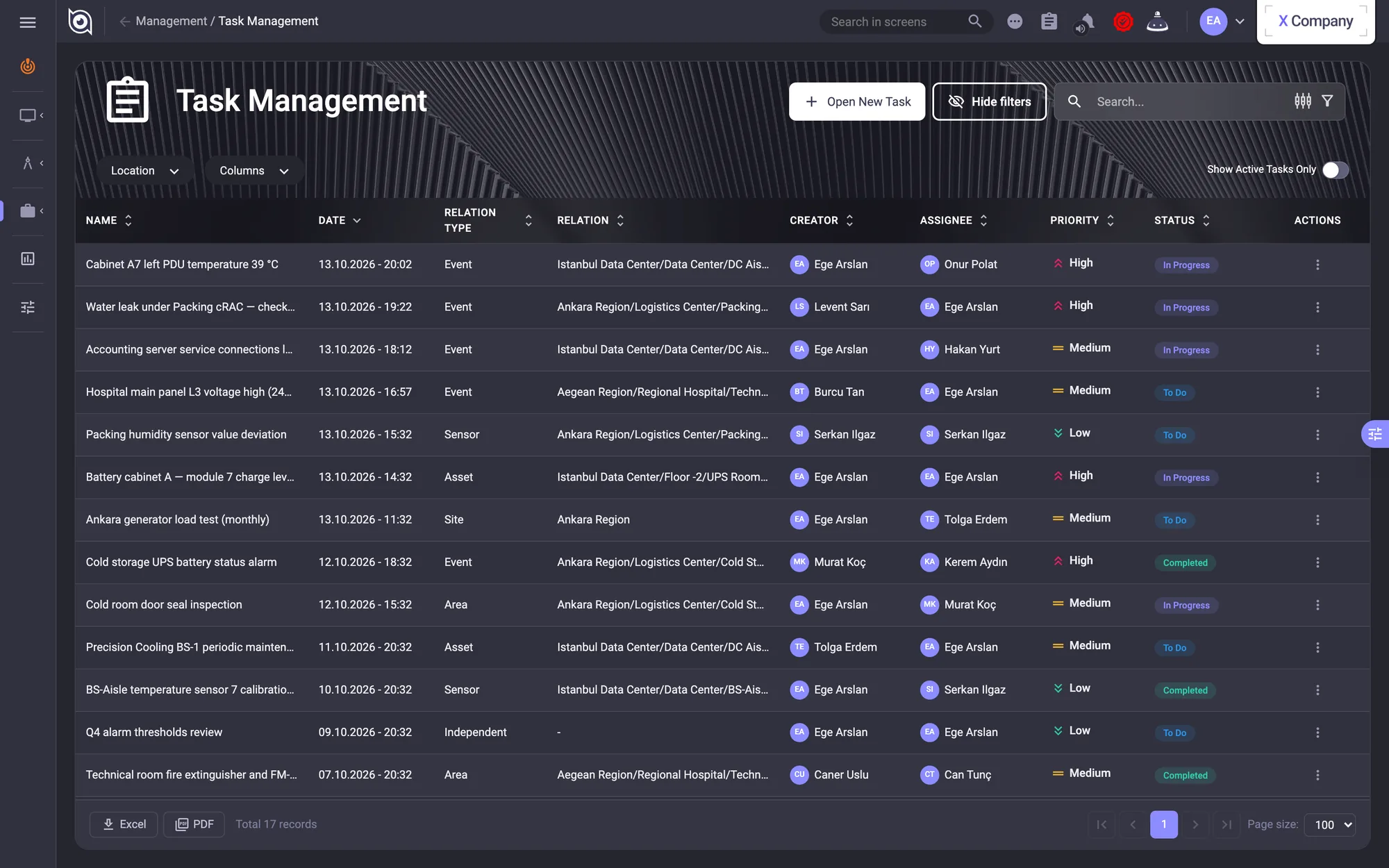
Task management: assignments, priorities and status across locations.
Active events: every alarm with its location, device, start time and duration. · Task management: assignments, priorities and status across locations.
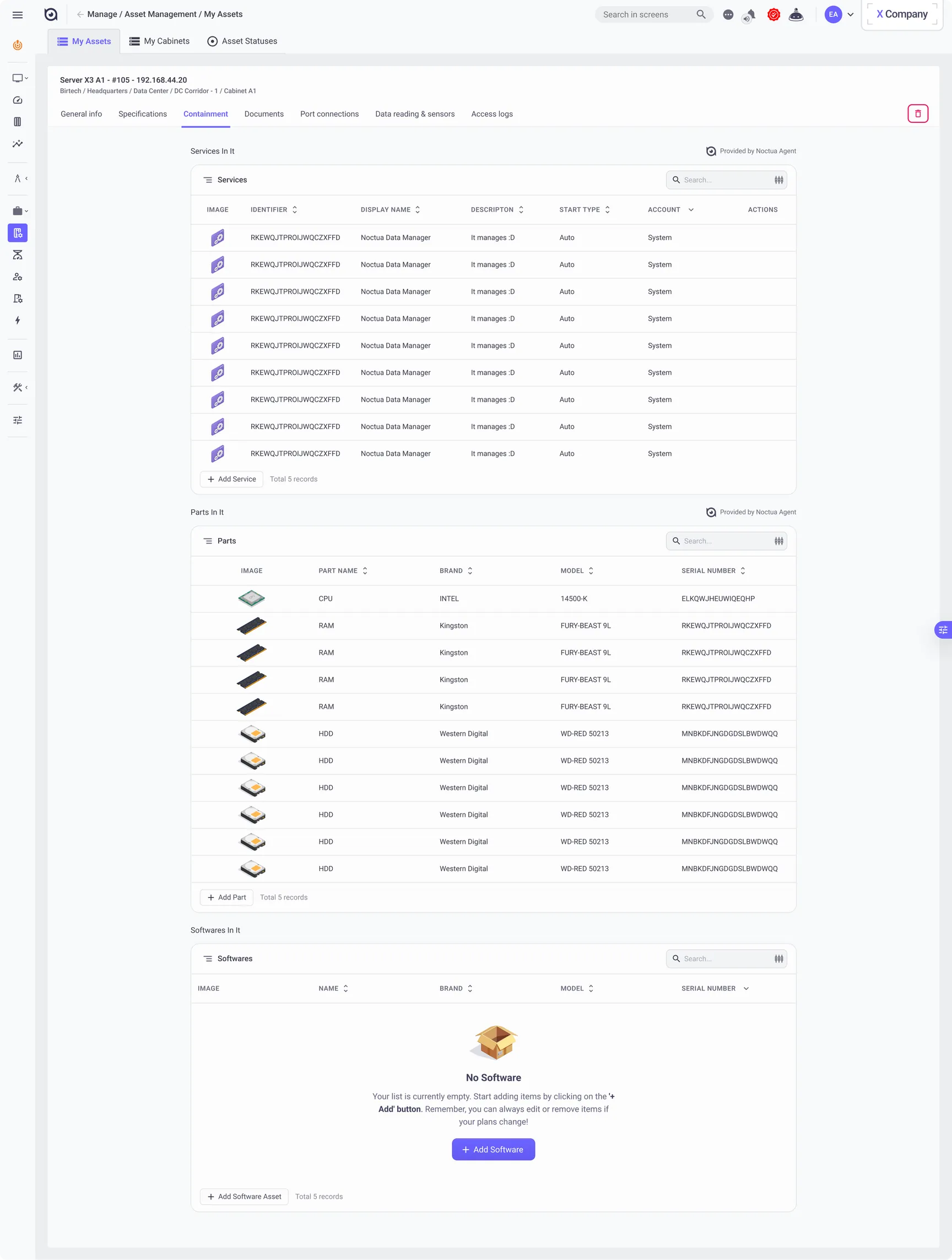
Asset detail, Containment tab: the services and hardware parts inside a server, both reported by the Noctua agent
Asset detail, Containment tab: the services and hardware parts inside a server, both reported by the Noctua agent · scroll inside

Mobile

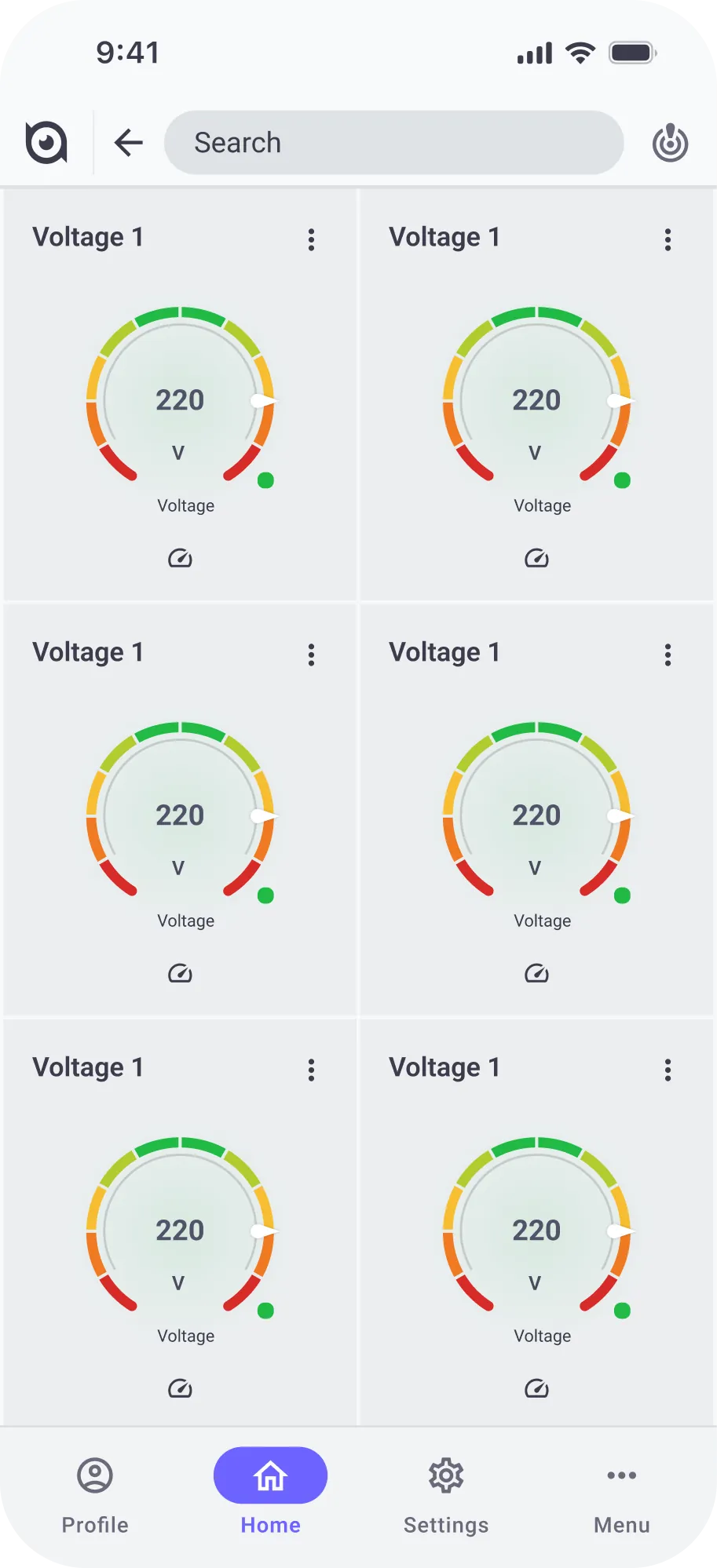
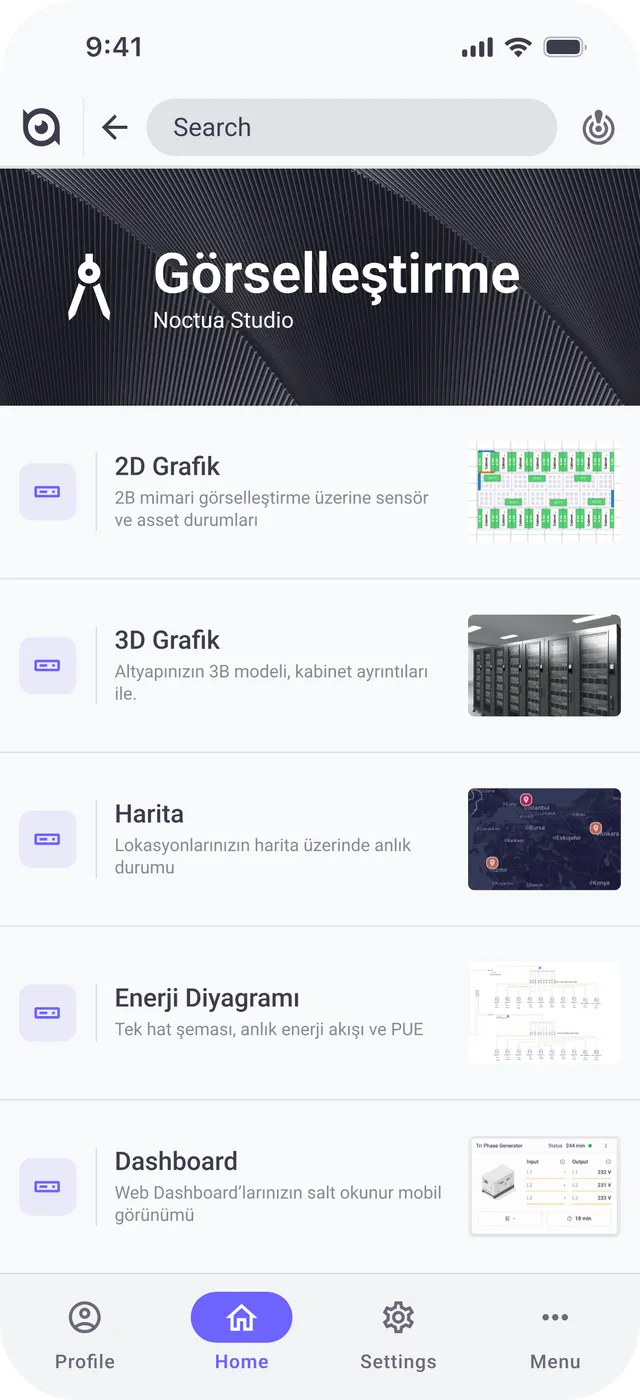
What needs a response goes to the phone: monitoring, incidents, summaries. Building and settings stay on the web. The 2026 app is Angular and Capacitor; its first phase, on mock data, closed in September.
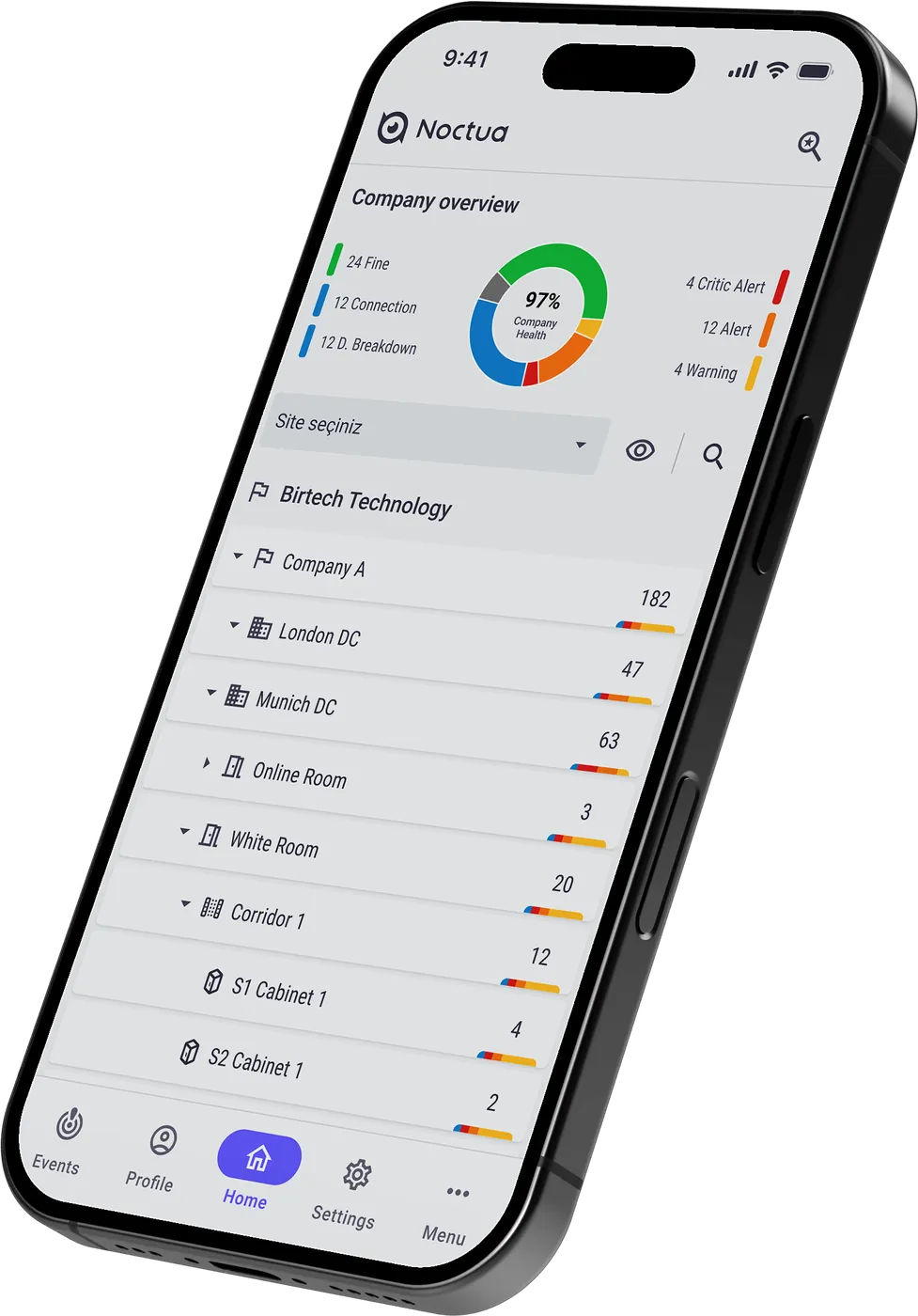
Mobile concept: company health ring and the location tree down to cabinets.
Mobile Visualisation hub: 2D, 3D, map, energy diagram and dashboard (Turkish UI).
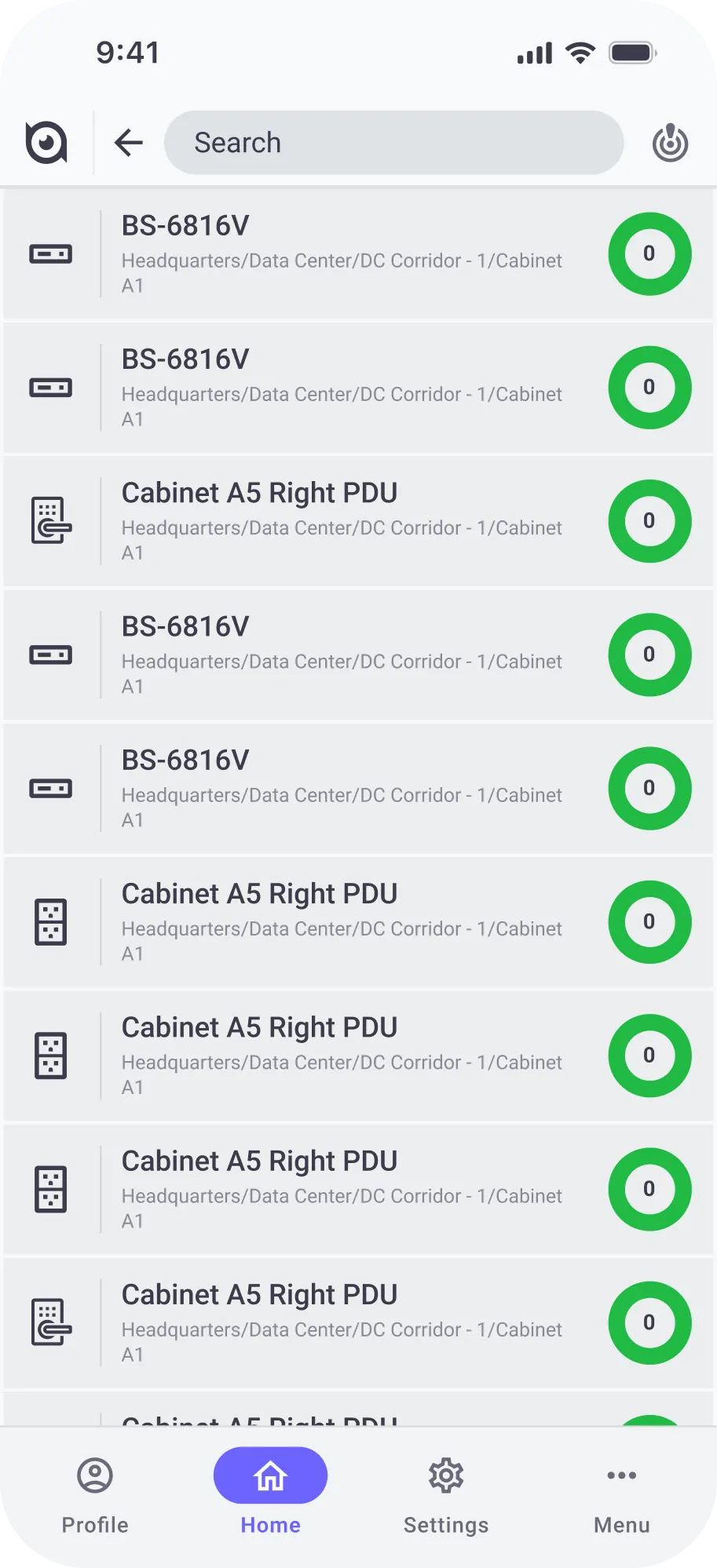
Assets on the phone, each with its health ring
Mobile concept: company health ring and the location tree down to cabinets. · Mobile Visualisation hub: 2D, 3D, map, energy diagram and dashboard (Turkish UI). · Assets on the phone, each with its health ring
A device's voltage channels as gauges
Splash screen: the Noctua mark over Birtech's lockup
A device's voltage channels as gauges · Splash screen: the Noctua mark over Birtech's lockup

Launch

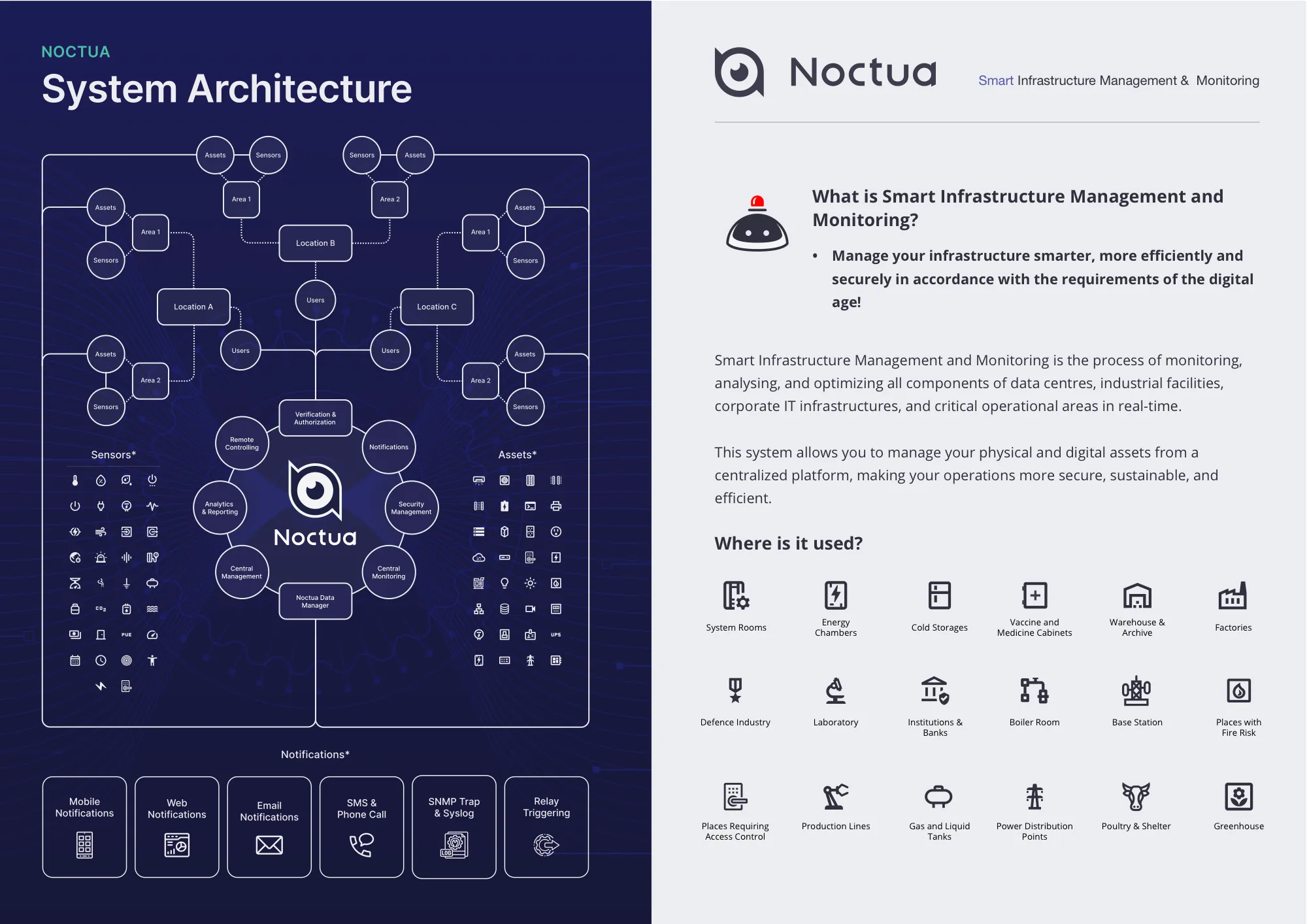
A launch deck, an English and a Turkish brochure, a user guide and five webinars between August and October 2025, all under one line: “Smart monitoring, wiser decisions.”
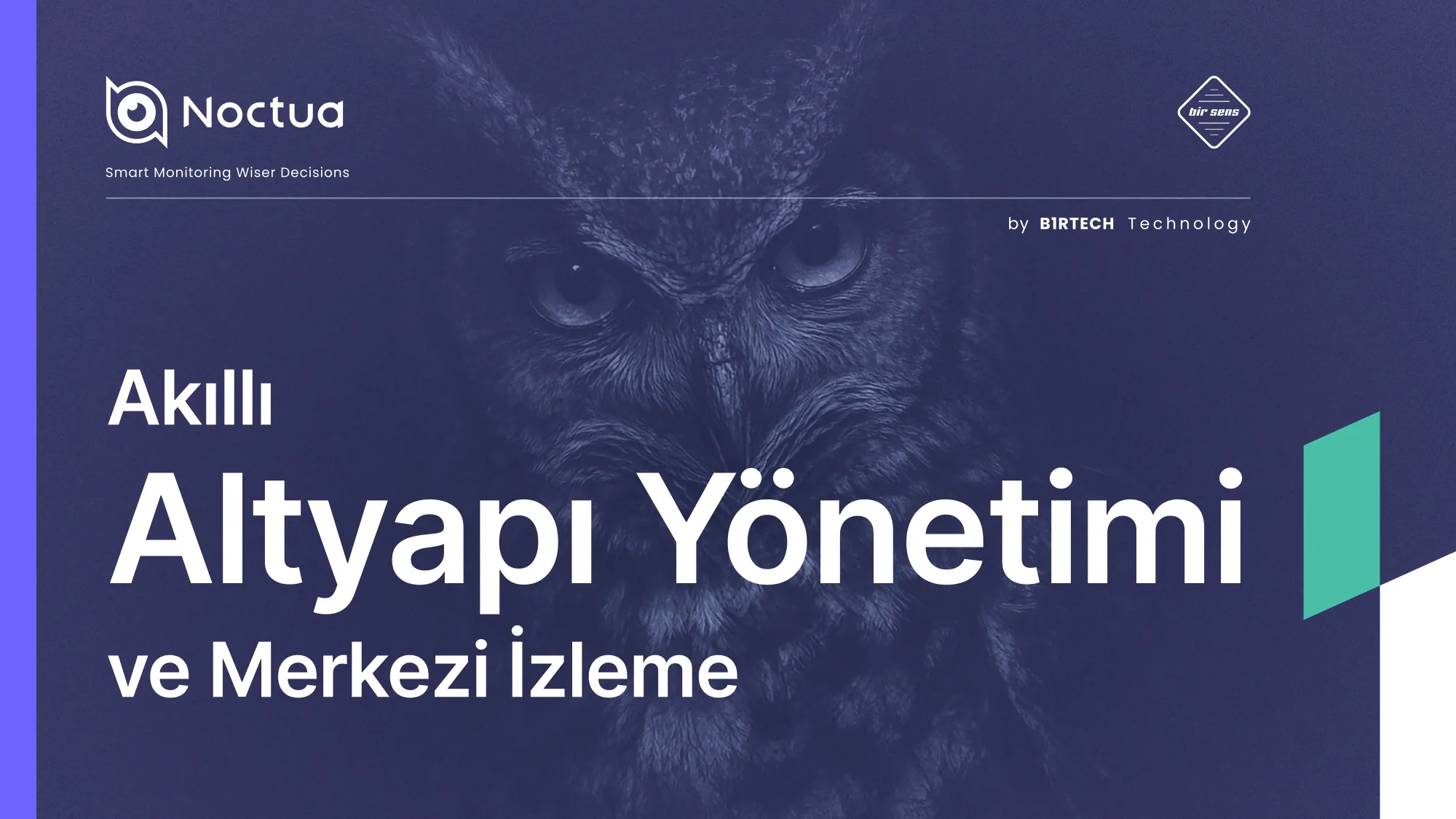
Launch presentation cover: 'Smart Infrastructure Management & Central Monitoring' (Turkish).
English brochure spread: system architecture, notification channels and where Noctua is used.
Launch presentation cover: 'Smart Infrastructure Management & Central Monitoring' (Turkish). · English brochure spread: system architecture, notification channels and where Noctua is used.
User guide cover (Kullanım Kılavuzu).
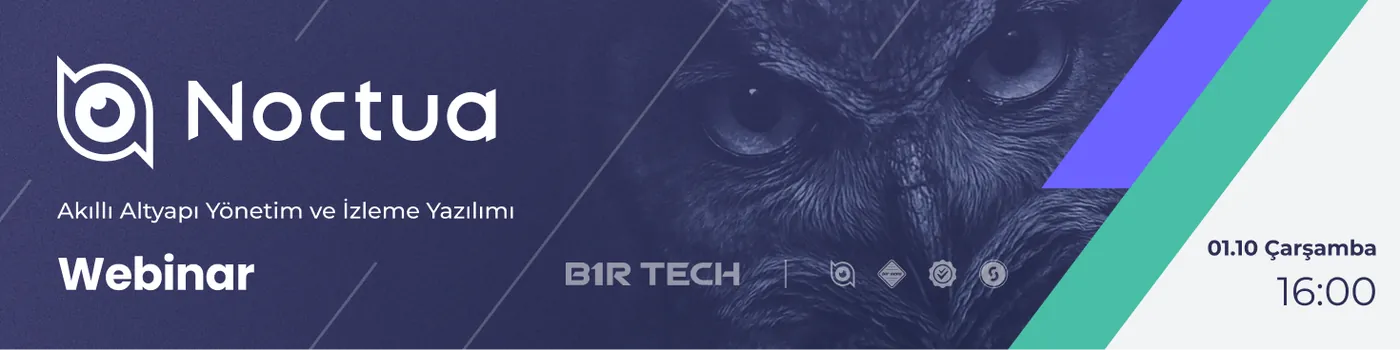
Webinar banner for the 1 October 2025 session.

The method behind it

Sequence
  1. 2019–23Product UI & design system from zero, as “Sensaway 3”
  2. 2024New name & logo; Noctua goes live
  3. 2024Ground-up Angular rebuild
  4. 2025Launch: deck, guide, webinars; on sale since October
  5. 2026Mobile app
Name & logo
Noctua logo

Sensaway 3 became Noctua. The product had been rebuilt from zero, so I gave it a name of its own. Noctua is Latin for the little owl, from nox, night. The December 2024 sketches tried an owl shield, chevrons and an open ring; the ring became the owl’s eye in the final logo.

Numbers
50+Clients, Oct 2025 – Oct 2026
509Angular components
6Team members guided
−40%Front-end dev cycle
Palette
#6C63FFaccent
#A3A0FBaccent-2
#3C3C4Cink
#21BA45fine
#FBBD31warning
#F47822alert
#DB2828critical
Rule

Tokens only, no hard-coded hex. Status colours carry meaning and nothing else; the accent is reserved for what the user can act on.